Kajabi Review 2026: Is This All-in-One Tool Still Worth It?
January 5, 2026


If you’ve spent any time researching online course platforms, there’s a good chance you’ve come across Kajabi. It’s often positioned as a premium, all-in-one solution, powerful, polished, and built for serious creators. I didn’t want to write a surface-level Kajabi review based on marketing claims or feature lists. Instead, I decided to test it properly.
Over the course of 45 days, I used Kajabi extensively to build a full website, create and structure a course, test email marketing and automation, set up offers, checkout pages, and funnels, and explore memberships, analytics, and integrations. This review is based entirely on that hands-on experience. If you’re looking for an honest, practical Kajabi review that focuses on real usage rather than hype, you’re in the right place.
Kajabi is an all-in-one digital business platform built for creators, coaches, educators, and entrepreneurs who want to sell online courses, memberships, coaching programs, and digital products. Instead of using multiple tools for website building, course hosting, email marketing, sales funnels, checkout, and analytics, Kajabi brings everything together in one place. This makes it easier to manage your entire online business from a single dashboard.
Kajabi is especially popular among creators who want a professional setup without dealing with technical headaches. It’s designed to support both beginners and growing businesses looking for scalability.
When I logged into my Kajabi for the first time, the overall experience immediately felt premium. The interface is clean, modern, and thoughtfully designed, which gives the platform a professional look right from the start. Everything is well structured, so even though Kajabi offers many features, it never feels messy or overwhelming.
The dashboard is divided into clear sections such as Products, Marketing, Website, Sales, People, and Analytics, with each area having its own dedicated space. This layout makes it easier to navigate the platform and manage different parts of your business without jumping between tools or tabs.
That said, Kajabi is not a plug-and-play platform for complete beginners. There is a noticeable learning curve, especially if you are new to concepts like sales funnels, email automation, and offer creation. At first, the number of options and settings can feel a bit intimidating.
However, after spending a few days exploring the platform and actually using its features, everything started to make sense. The workflows feel logical, the tools connect well with each other, and the platform begins to feel cohesive. Once you understand how Kajabi is structured, it becomes a powerful system that’s easy to manage on a day-to-day basis.
Kajabi gives creators complete control over how their courses are structured, delivered, and experienced by students. During my time using the platform, it became clear that Kajabi is built not just for hosting lessons, but for delivering a full learning experience.
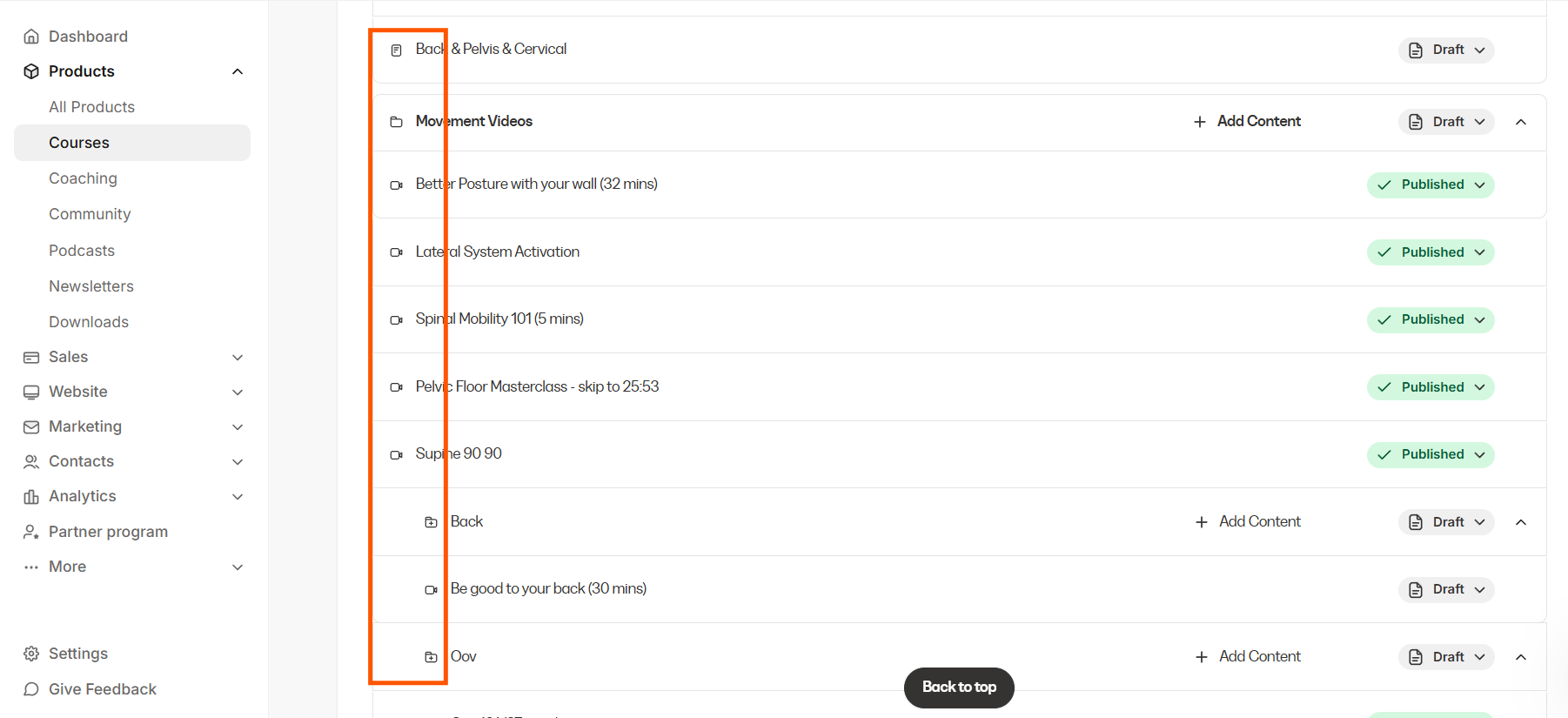
Kajabi uses a Categories and Posts system that makes course organization simple and scalable. Categories work like modules or chapters, while posts act as individual lessons. You can reorder lessons easily using drag-and-drop, which is helpful when refining course flow or updating content later.
You can create:
This flexibility makes Kajabi suitable for both small creators and large-scale educators.
Kajabi allows you to add various content types within a single lesson. You can upload videos, attach PDFs, embed audio files, and include written explanations all in one place. This makes lessons more engaging and caters to different learning styles.
You can also:
One of Kajabi’s biggest advantages is its built-in video hosting. You don’t need a third-party service like Vimeo or Wistia. Videos are hosted securely, load quickly, and play smoothly across devices. From a student’s perspective, this creates a professional and distraction-free viewing experience.
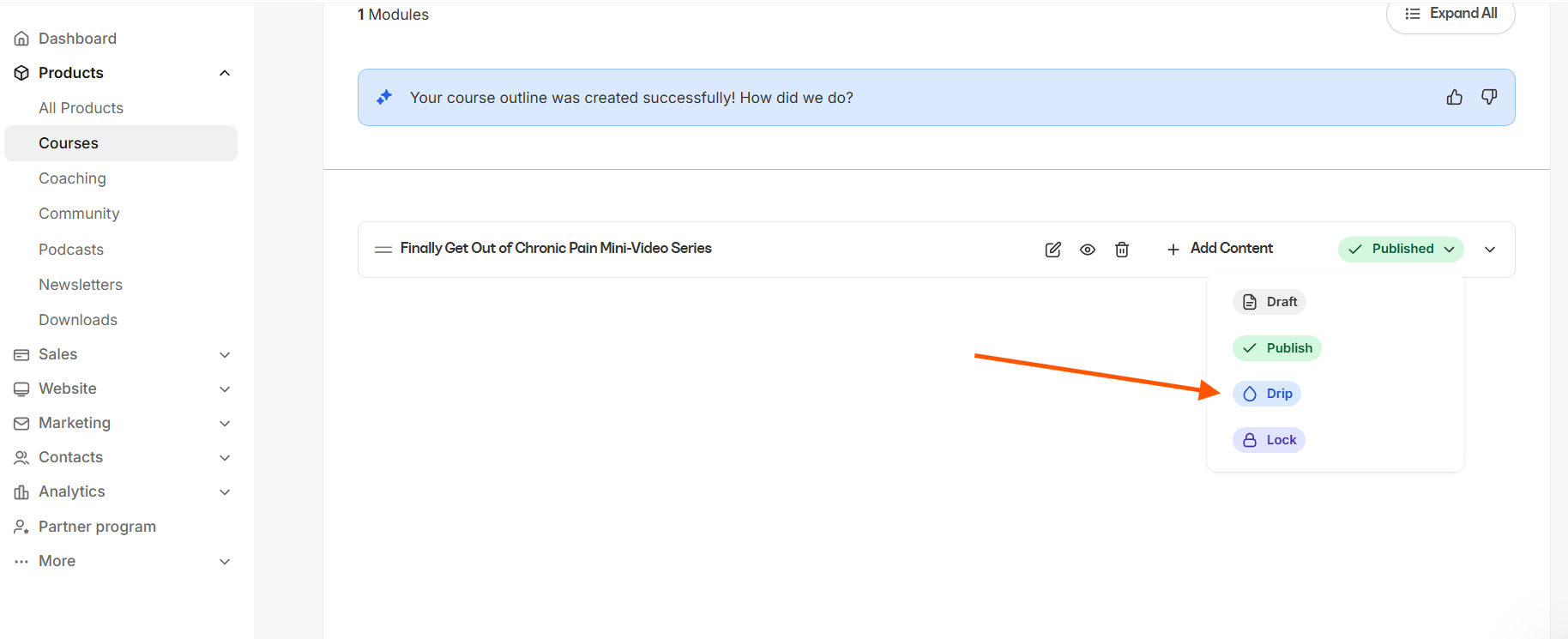
Kajabi supports drip scheduling, allowing you to release lessons over time instead of all at once. You can schedule content to unlock based on:
This is especially useful for cohort-based programs, memberships, and habit-building courses where pacing matters.
Kajabi automatically tracks student progress, showing learners which lessons are completed and what’s next. This keeps students motivated and helps them stay consistent throughout the course.
As a creator, you can also monitor engagement levels and see how students are interacting with your content.
Kajabi allows you to control who can access your courses using Offers. You can bundle multiple courses together, restrict access to specific products, or grant access for a limited time. This makes it easy to sell:
All Kajabi courses are fully mobile-responsive. Students can access lessons from their phones or tablets without any issues. Kajabi also offers a branded mobile app experience on higher plans, making learning even more convenient for users on the go.
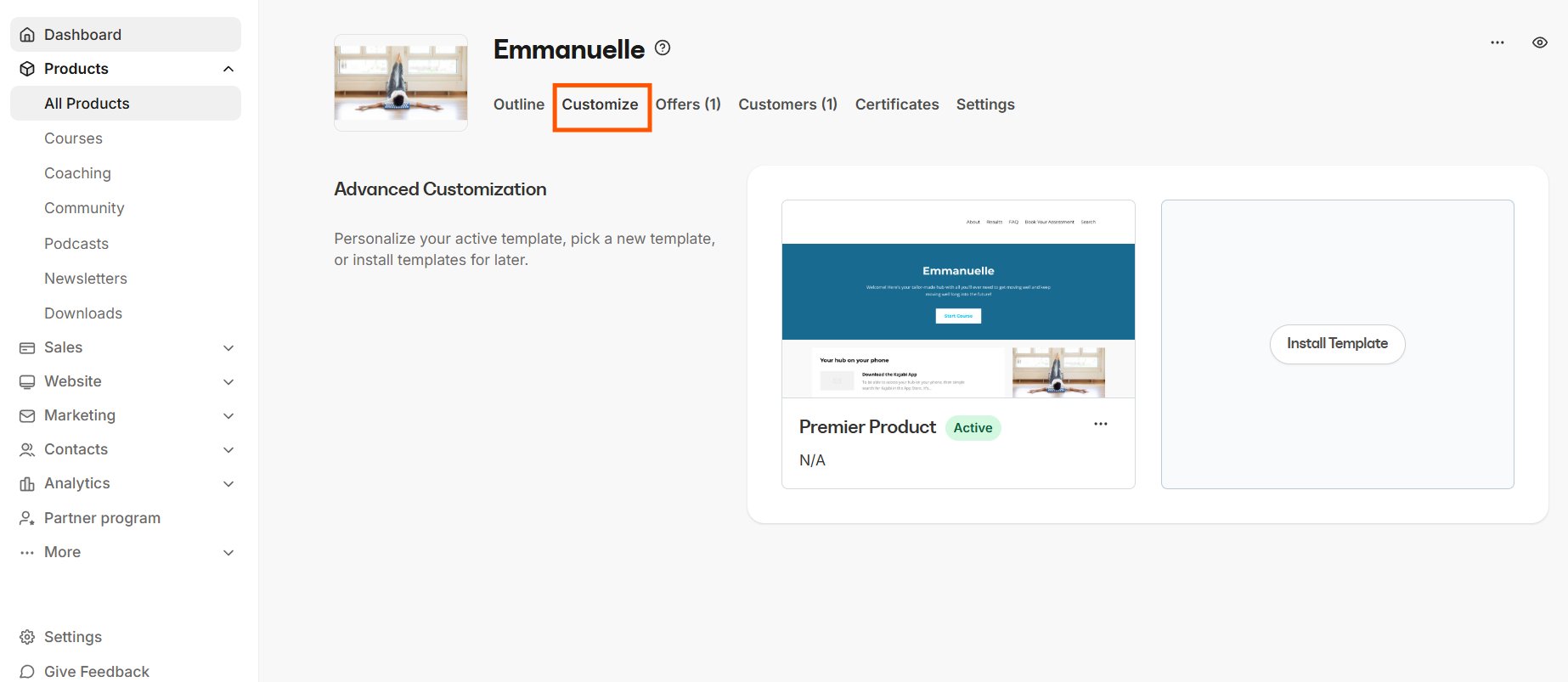
While Kajabi doesn’t allow extreme design customization, it offers enough flexibility to match your brand. You can customize:
This helps maintain a consistent brand identity across your learning platform.
Kajabi includes basic assessment tools such as quizzes and multiple-choice questions. While these are not highly advanced, they work well for knowledge checks, feedback collection, and engagement.
You can also:
Kajabi works well for evergreen courses, but it can also support live or hybrid programs. You can embed live session links, upload replays, and combine live coaching with pre-recorded content.
Kajabi comes with a built-in website and page builder, making it easy for creators to build a professional online presence without hiring developers. From my experience using the platform for 45 days, the website builder is both intuitive and powerful enough for most online businesses.
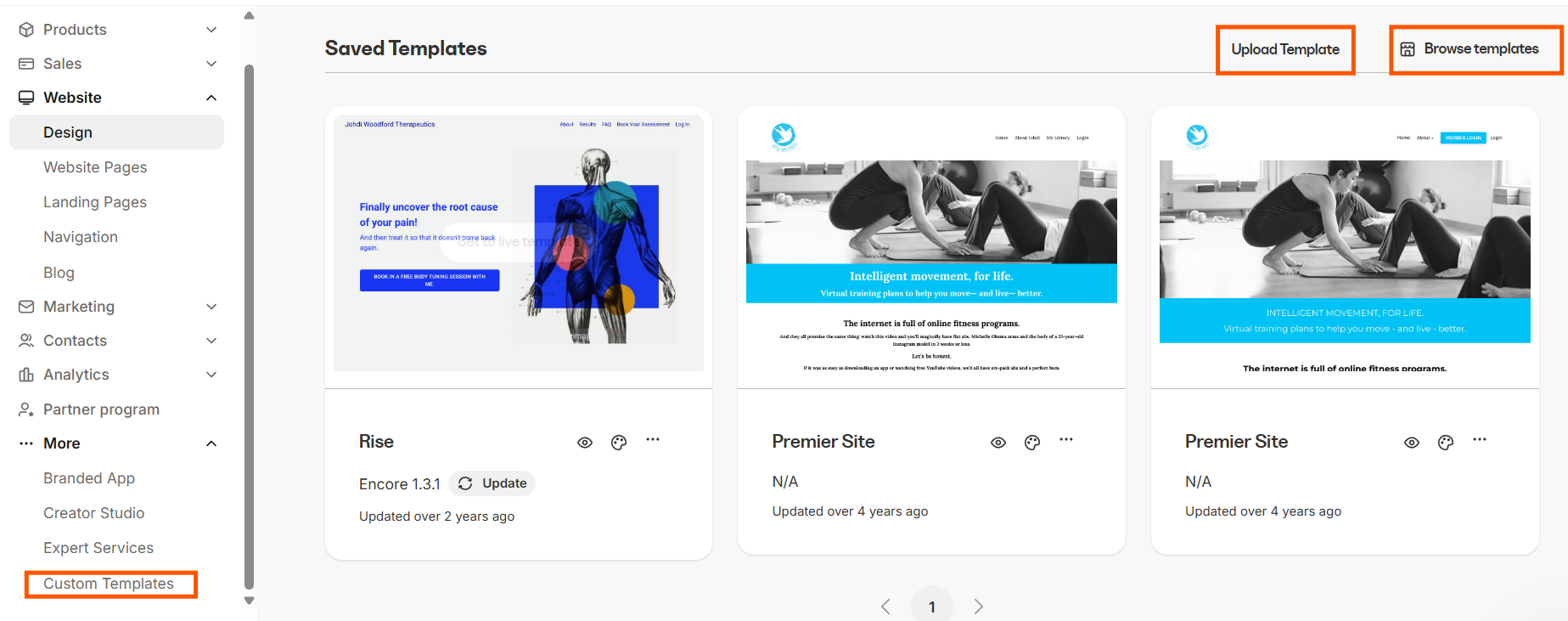
Kajabi offers a variety of pre-designed themes that are modern, responsive, and optimized for conversions. These themes cover different needs, from course landing pages to full websites, making it simple to get started quickly. You can also customize basic elements such as colors, fonts, and logos to match your brand identity.
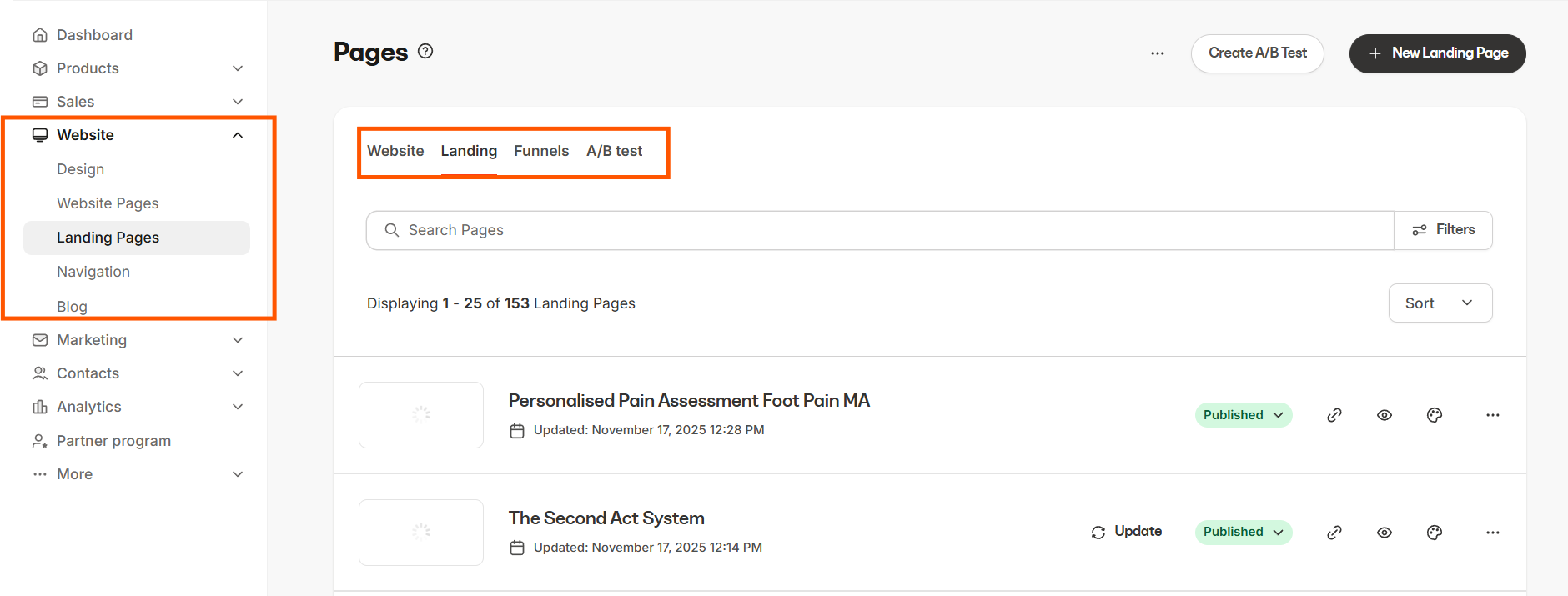
With Kajabi, you can build all types of pages that a digital business requires, including:
This flexibility allows you to run your entire online business from a single platform, without needing separate tools for each function.
Kajabi’s page editor is drag-and-drop and section-based, which means you can add text, images, videos, forms, and buttons in pre-defined sections. This makes it beginner-friendly—no coding or advanced design knowledge is required. You can rearrange sections, add new content blocks, and preview changes in real time.
While Kajabi makes it easy to build a functional and attractive website, design customization is somewhat limited. The themes dictate layout options, so advanced or highly unique designs require workarounds or custom code. For most creators, this is sufficient, but if you have a strong branding requirement or need pixel-perfect layouts, Kajabi may feel restrictive.
All Kajabi pages are fully mobile responsive, ensuring that your site looks great on smartphones and tablets. Additionally, Kajabi includes basic SEO settings like meta titles, descriptions, and URL customization, which help your pages rank better in search engines.
Kajabi’s built-in email marketing is one of its standout features, especially for creators who want to manage communications without juggling multiple tools. During my 45-day hands-on experience, I found it to be both powerful and flexible, capable of supporting simple newsletters as well as complex automated campaigns.
Kajabi allows you to send one-time emails to your subscribers. This is perfect for:
The email editor is clean and easy to use, with options to add images, buttons, and links. Even beginners can create visually appealing emails without any coding.
Automation is where Kajabi truly shines. You can set up sequences that automatically send emails based on user actions or timing. This makes it easy to:
You can also schedule sequences to drip content and guide users toward purchases or engagement without manual follow-ups.
Kajabi lets you trigger emails based on specific user behavior. For example:
These triggers allow you to send highly relevant messages to keep your audience engaged and increase conversions.
Segmentation is another advantage. Kajabi allows you to group subscribers based on actions, purchases, tags, or membership levels. This means you can deliver tailored messages to specific audiences, making campaigns more effective.
During my experience, I used Kajabi’s email system to create launch campaigns and evergreen funnels. With automation and segmentation combined, it’s possible to build a complete marketing flow that nurtures leads and converts them into paying students or members—all within the platform.
While the system is beginner-friendly, there is a learning curve for automation. You need to understand triggers, conditions, and sequences to set up advanced flows correctly. Once you do, though, it becomes a reliable engine for email marketing without needing third-party tools.
One of Kajabi’s standout features is its Pipelines tool, which allows creators to build complete sales funnels directly within the platform without depending on third-party funnel builders or marketing software. During my 45-day hands-on experience, I found this feature to be both powerful and beginner-friendly, making it easier to convert leads into paying customers.
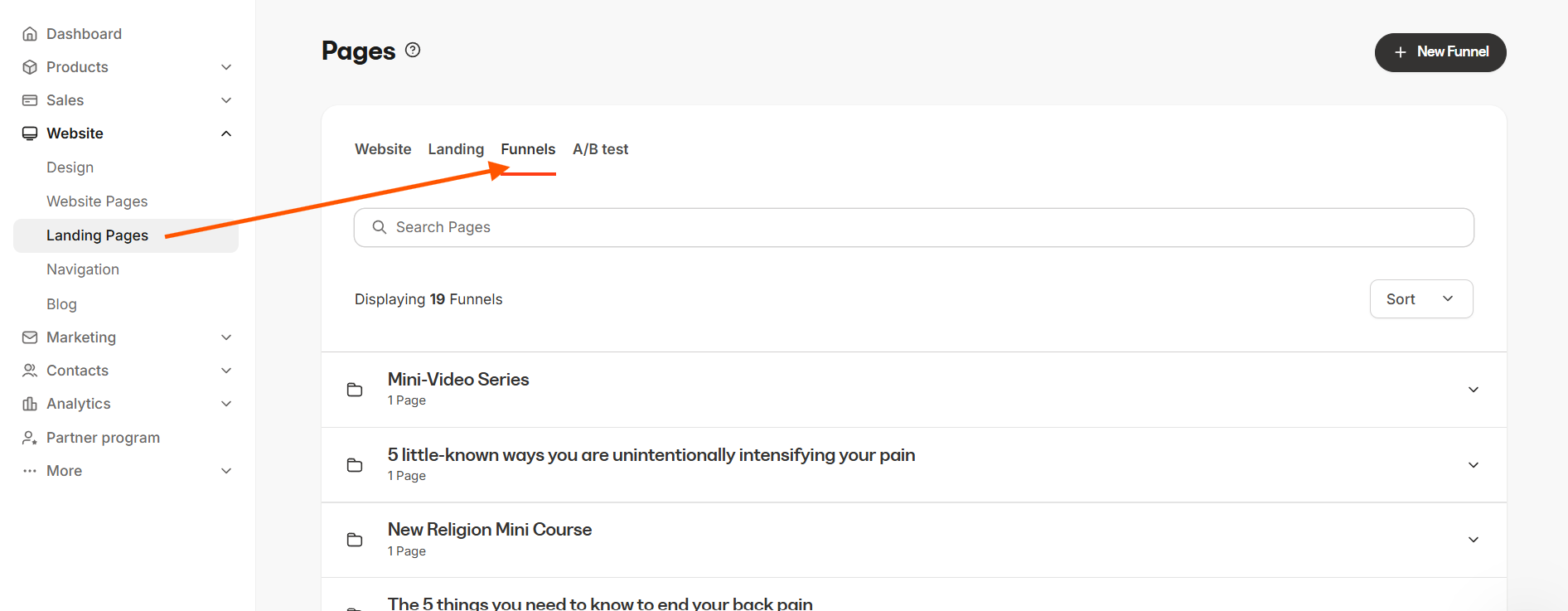
Kajabi supports multiple types of funnels tailored to different business goals, including:
This versatility makes Kajabi suitable for creators, coaches, and entrepreneurs who want a streamlined marketing workflow.
Each pipeline in Kajabi is composed of several essential components that work together to guide prospects toward conversion:
By combining these elements, Kajabi enables creators to set up automated marketing flows that convert leads into students or paying customers.
The Pipelines editor is intuitive and visually organized. You can add or remove steps, link pages, and configure email sequences with simple drag-and-drop actions. While customization is somewhat theme-based, it’s sufficient for most creators to create professional and effective funnels without coding knowledge.
Kajabi pipelines support automation that triggers emails and actions based on user behavior. For example, you can send follow-up emails after someone downloads a lead magnet, abandons a checkout, or completes a lesson. This ensures that your marketing is consistent and targeted, saving time while increasing conversions.
Kajabi also provides analytics to track funnel performance, including page views, email open rates, and conversion metrics, giving you insights to optimize your sales strategy over time.
While Kajabi is designed as an all-in-one platform, it also supports essential third-party integrations that help creators extend functionality and streamline their business operations. During my 45-day hands-on experience, I found these integrations simple to set up and very useful for managing payments, analytics, automation, and live sessions.
Kajabi integrates seamlessly with Stripe and PayPal, allowing you to accept one-time payments, subscriptions, and recurring memberships securely. Setting up payments was straightforward, and it gave me confidence that transactions would process smoothly for students or clients.
For more advanced workflows, Kajabi integrates with Zapier, which connects your account to hundreds of other apps. This makes it possible to automate repetitive tasks, sync data across platforms, or trigger actions that aren’t built natively into Kajabi. For example, you can automatically add new students to a CRM, update spreadsheets, or send notifications to your team.
Kajabi allows integrations with Google Analytics and Facebook Pixel, which are essential for tracking website traffic, monitoring conversions, and measuring the success of your marketing campaigns. With these tools connected, you can gain insights into visitor behavior, optimize landing pages, and make data-driven decisions for your business.
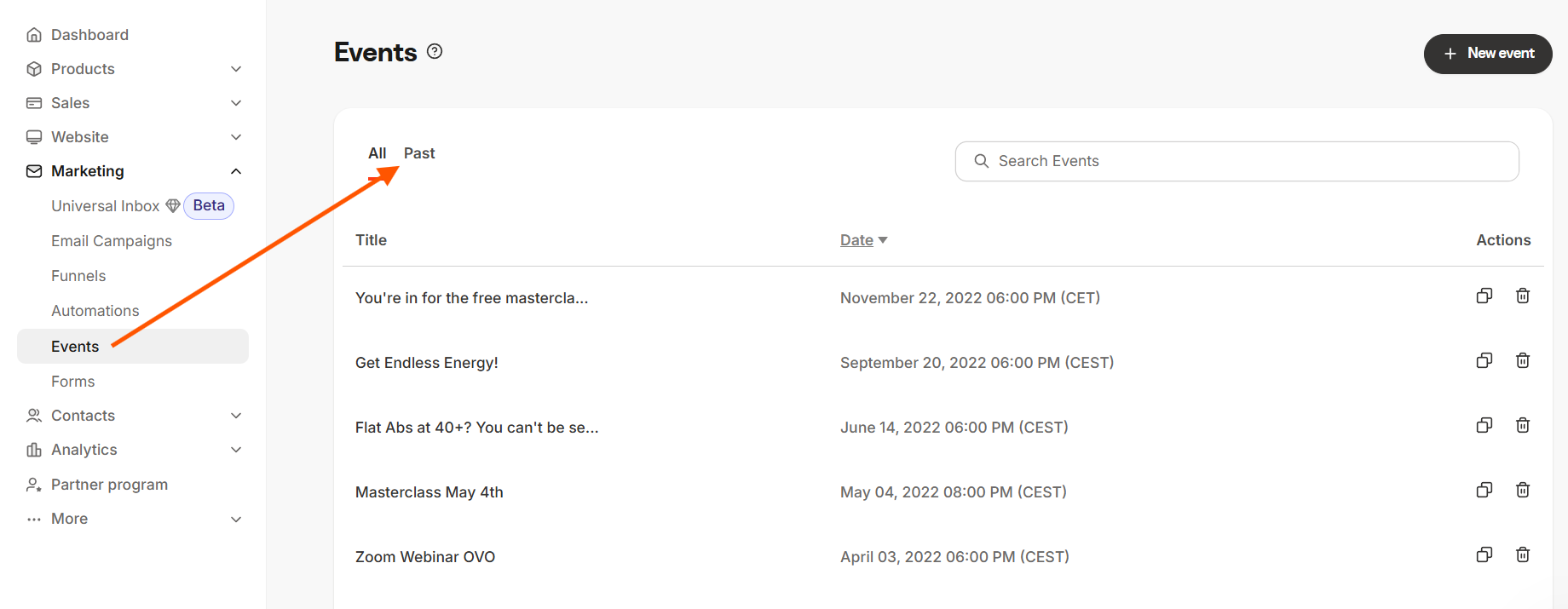
If you run live classes, workshops, or webinars, Kajabi integrates with Zoom. This allows you to host live events and link them directly with your Kajabi courses or membership programs. The integration makes managing live sessions easier and more seamless for your audience.
While Kajabi doesn’t offer hundreds of native integrations like some platforms, the combination of Stripe, PayPal, Zapier, analytics tools, and Zoom covers most needs for creators. It strikes a balance between being an all-in-one solution and giving flexibility for more advanced setups.
After using Kajabi for 45 days, I can share a balanced view of its strengths and weaknesses. Overall, Kajabi is a powerful all-in-one platform, but like any tool, it has areas where it may not fit every creator’s needs.
Kajabi offers several pricing plans designed for creators at different stages, from beginners launching their first course to established businesses managing multiple products. All plans include essentials like course creation, landing pages, funnels, email marketing, and secure checkout, with the option to pay monthly or save with annual billing.
Price: ~$89 per month (~$71/month when billed annually)
The Kickstarter Plan is Kajabi’s entry tier, best for beginners who want to experiment with the platform without a higher commitment. It includes:
This plan gives you a low‑entry point into Kajabi’s ecosystem while still providing enough tools to launch a basic product.
Price: ~$149 per month (~$119/month when billed annually)
The Basic Plan is ideal for creators launching their first real digital business. It includes:
This plan is a strong foundation for most new creators because it offers enough capacity to sell multiple products while still keeping pricing reasonable.
Price: ~$199 per month (~$159/month when billed annually)
The Growth Plan targets creators who are ready to scale. In addition to everything in Basic, it includes:
This plan is ideal if you have multiple offerings and want robust marketing features, such as affiliate management and deeper automation.
Price: ~$399 per month (~$319/month when billed annually)
The Pro Plan is Kajabi’s most advanced tier, made for creators with extensive needs or larger businesses. It includes:
This plan supports high‑growth businesses, agencies, or creators managing multiple brands.
Kajabi does not have a permanent free plan, but it offers a 14-day free trial. During this trial, you can test all core features, including course creation, email marketing, website building, funnels, and memberships, to see if the platform fits your needs before committing to a paid plan.
Yes! Kajabi is designed to help creators get started without needing coding skills. Its clean dashboard, drag-and-drop editors, and pre-built templates make it easy to create courses, websites, funnels, and memberships quickly.
No. Kajabi does not take any transaction fees on your sales. You only pay standard payment processing fees via Stripe or PayPal.
Absolutely! Kajabi allows you to sell courses, memberships, coaching programs, and digital products like ebooks, templates, worksheets, or audio files. You can mix and match different offerings from the same platform.
Yes. Kajabi offers a 14-day free trial, giving you full access to all features so you can explore the platform before choosing a paid plan.
Yes! Kajabi integrates with Zoom and other tools for hosting paid or free webinars, workshops, and coaching sessions. You can manage live events alongside your courses and memberships seamlessly.
Yes. Kajabi allows you to create membership tiers, restrict content, and host community discussions. This helps you engage your audience and generate recurring revenue efficiently.
After spending 45 days exploring Kajabi, my team at Khajabi and I found it to be a powerful and professional platform for creators who want to build, market, and scale their online business. From creating courses and coaching programs to managing memberships, email marketing, and sales funnels, Kajabi makes it possible to run a fully integrated online business without juggling multiple tools.
We particularly appreciated how everything works seamlessly in one platform, from course creation and content delivery to marketing automation and analytics. While Kajabi may come with a higher price point and a slight learning curve, its advanced automation, polished website, funnel builder, and robust course experience make it an excellent choice for serious creators and growing businesses.
Overall, based on our hands-on experience, we at Khajabi can confidently say that Kajabi is a top-tier all-in-one solution for educators, coaches, and entrepreneurs who want a scalable, professional, and reliable platform to grow their online business.


March 2, 2026

February 20, 2026

February 5, 2026

January 6, 2026