Teachable Review 2026: Pricing, Features, Pros & Cons (Tested for 30 Days)
February 20, 2026


February 20, 2026
Choosing the right platform to sell online courses and digital products is one of the most important decisions for any creator. The platform you choose affects not only how easily you can launch, but also how well you scale, market, and support your students over time.
To evaluate Teachable properly, I used the platform extensively for 30 days, exploring it from both a creator and learner perspective. During this time, I tested its course creation tools, digital product options, payment setup, marketing features, student experience, analytics, and overall usability. The goal was not just to understand what Teachable promises on paper, but how it actually performs when used to build and sell products.
By the end of this Teachable review, you will have a clear understanding of Teachable’s features, pricing, pros and cons, and how it compares to other popular platforms so you can make an informed, confident decision.
Teachable is a hosted learning management system (LMS) designed to help creators build, sell, and manage online courses and digital products without requiring technical expertise. The platform handles hosting, video delivery, payments, and student access, allowing creators to focus primarily on content creation and marketing.
Unlike self-hosted solutions such as WordPress-based LMS plugins, Teachable operates entirely in the cloud. This means there is no need to manage servers, software updates, or security patches. Everything is maintained by Teachable, which makes it attractive for creators who want reliability and simplicity.
Teachable is commonly used by:
The platform emphasizes ease of use and operational efficiency rather than advanced customization or complex marketing automation.
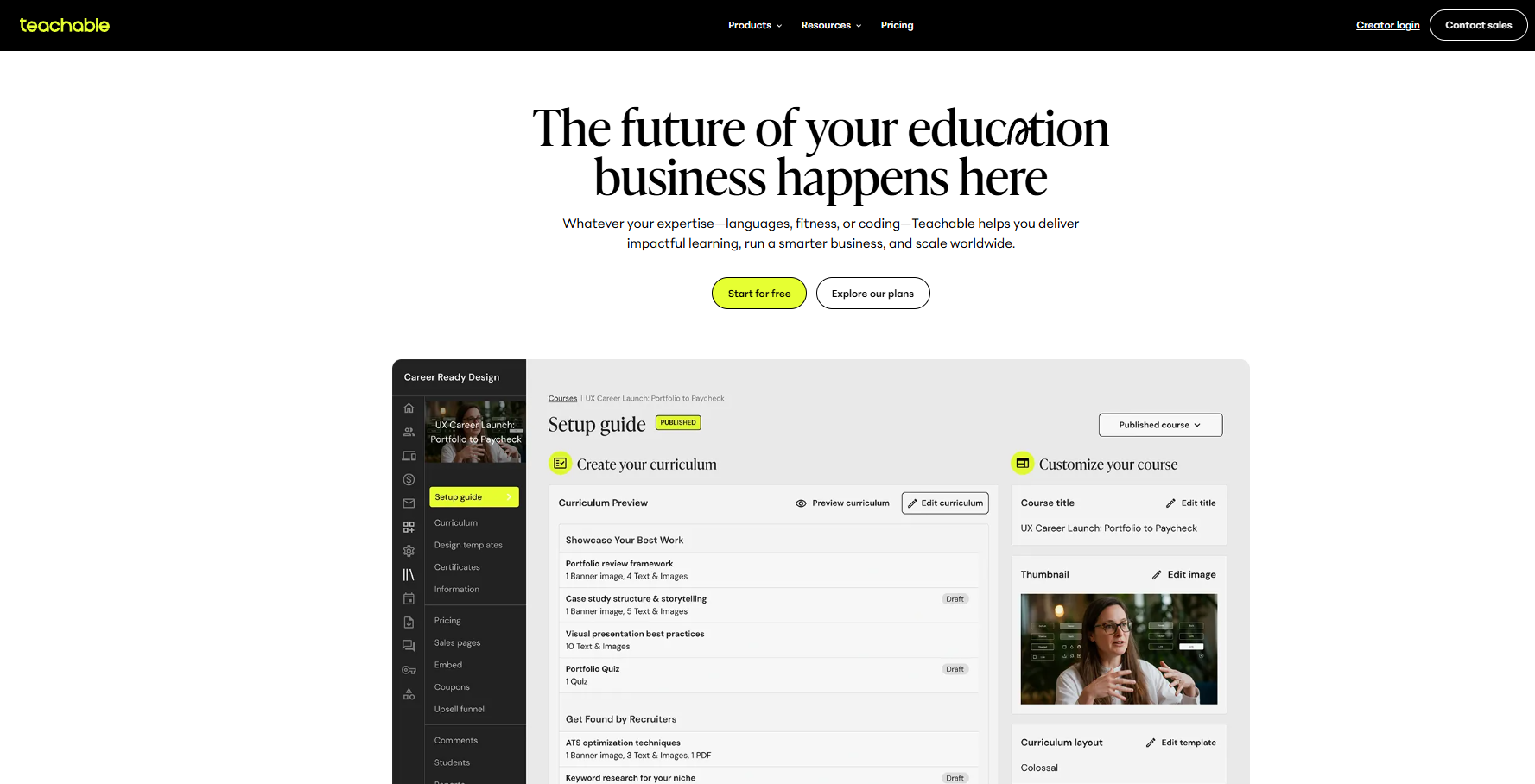

Getting started with Teachable is straightforward. After signing up, users are guided through a short onboarding process that includes naming their school, selecting a theme, and creating their first product.
The dashboard is clean and minimalistic. Important sections such as Products, Sales, Marketing, Users, and Analytics are clearly labeled, reducing confusion for new users. Even creators with no prior experience using an LMS can navigate the interface comfortably.
This simplicity is one of Teachable’s biggest strengths, especially for beginners who don’t have much tech knowledge and want to have a simple experience.

Once inside the dashboard, creators can start building products immediately. Teachable supports multiple product types, and the creation workflow remains consistent across all of them. This consistency reduces the learning curve when expanding into new formats like coaching or memberships.
Products can be edited, updated, or expanded at any time. Existing students automatically gain access to updated content, which is useful for improving courses over time without disrupting learners.
Here in this Teachable review, you will clearly understand all the features and functionalities of the platform. Lets start with:
The Teachable course builder is the core engine of the platform and one of the main reasons many creators choose it. It uses a structured section-and-lesson framework, allowing you to organize content into modules and sub-lessons for better clarity. This structure improves course navigation and ensures students move through the content in a logical progression.
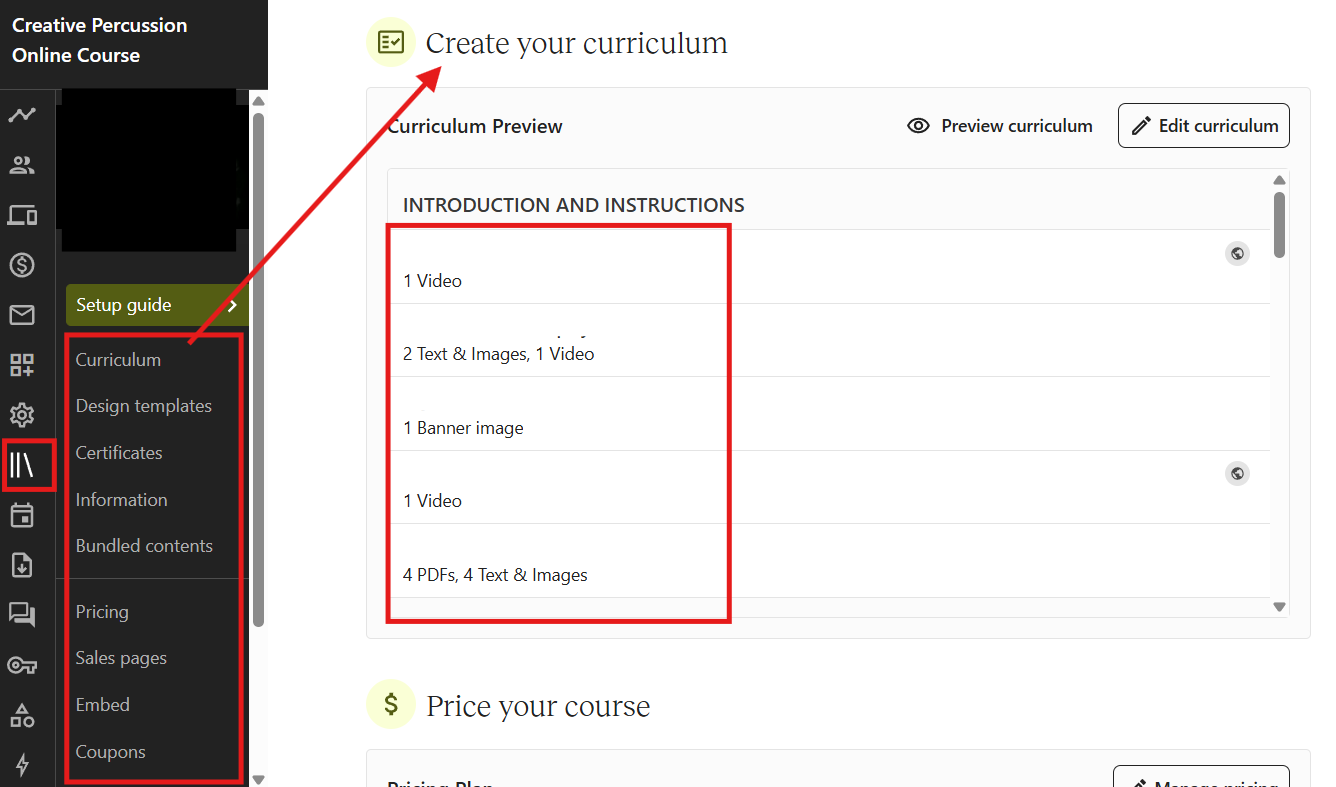
With Teachable’s course creation tools, you can add:
One of the most valuable features is built-in video hosting, which is included across all plans. You don’t need to integrate external platforms like Vimeo or Wistia. Videos are securely hosted and optimized for fast loading speeds. During my 30 days of using Teachable, I found the video playback consistent, smooth, and mobile-responsive.
The drag-and-drop editor makes it easy to rearrange lessons, update modules, or refine course flow without technical complexity. This flexibility is especially helpful when you continuously improve or expand your course content.
From a usability standpoint, the Teachable course builder removes technical barriers and allows creators to focus on content quality rather than backend setup.
Teachable allows creators to sell digital downloads as standalone products, making it more than just an online course platform. This feature expands monetization options and supports diversified income streams.
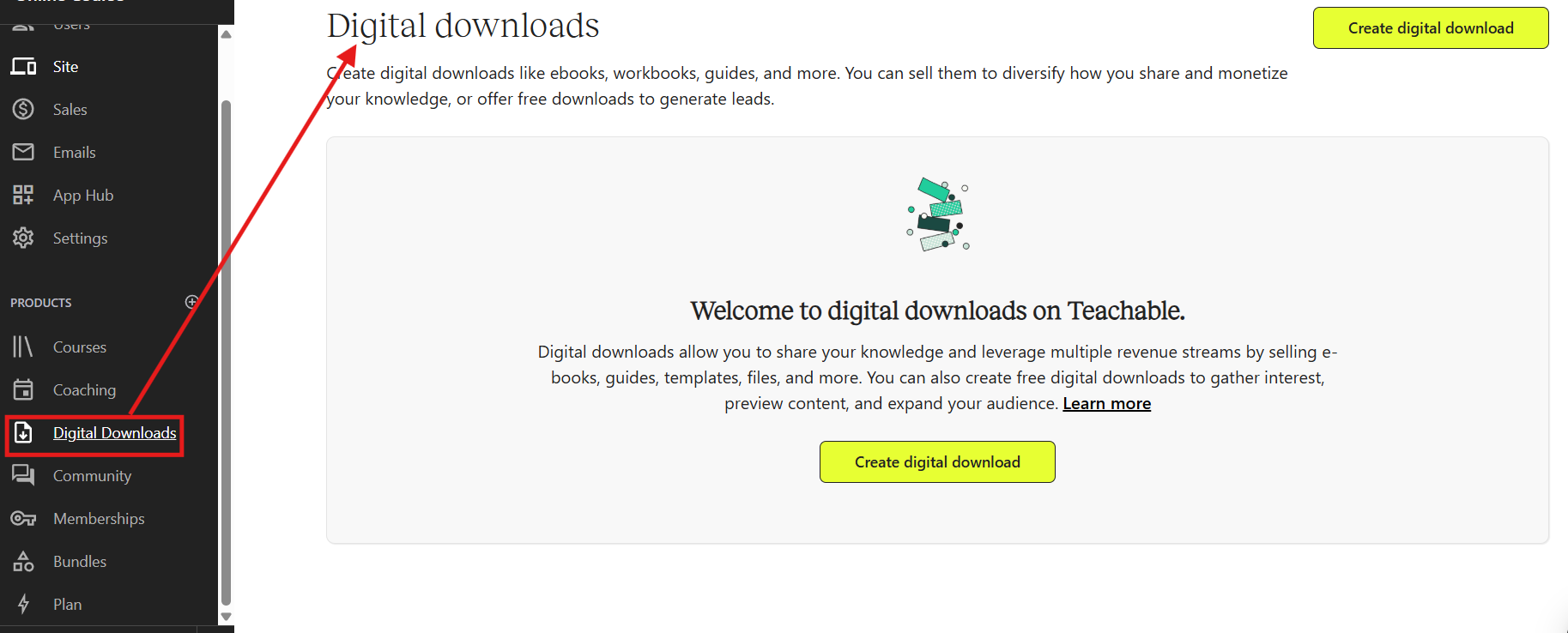
You can sell:
Digital downloads are ideal for low-ticket offers, tripwire products, or bonus materials that complement your courses. This flexibility allows you to build a layered product ecosystem from entry-level digital products to premium courses.
For creators building a digital product business, this feature adds strategic value by supporting both micro-products and full-scale educational programs within one platform.
Teachable includes functionality for structured coaching programs, which is beneficial for consultants, mentors, and service providers.
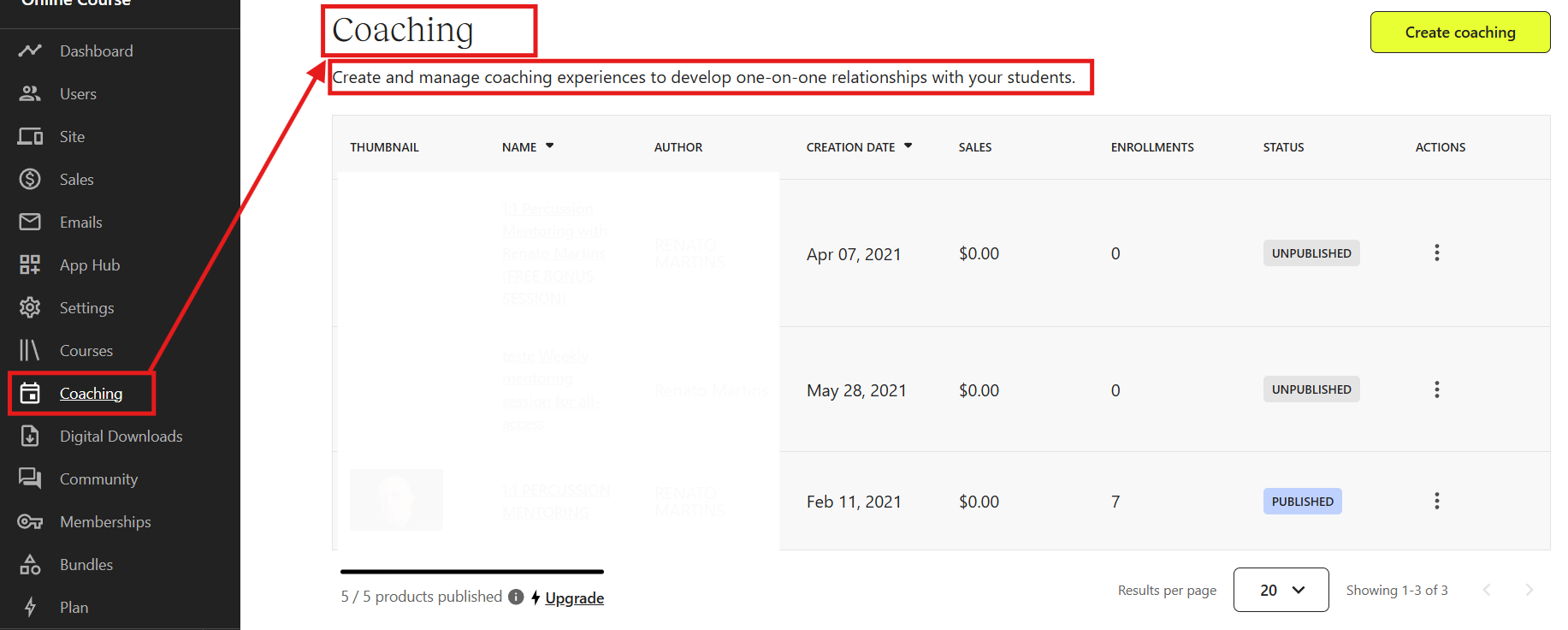
You can create:
This feature allows you to combine educational content with personalized accountability. You can structure coaching into phases, assign deliverables, and maintain a more organized experience for clients.
For experts transitioning from traditional consulting to scalable digital offerings, Teachable’s coaching feature bridges that gap effectively.
Teachable supports membership and subscription models, enabling creators to generate recurring revenue.
You can launch:
Recurring billing provides a predictable monthly income while giving students continuous access to content. This model works well for ongoing training programs, exclusive content libraries, or evolving educational resources.
For creators focused on long-term scalability, subscription-based models provide more stability compared to one-time course sales.
Teachable includes a built-in payment processing and checkout system, simplifying how you sell online courses and digital products.
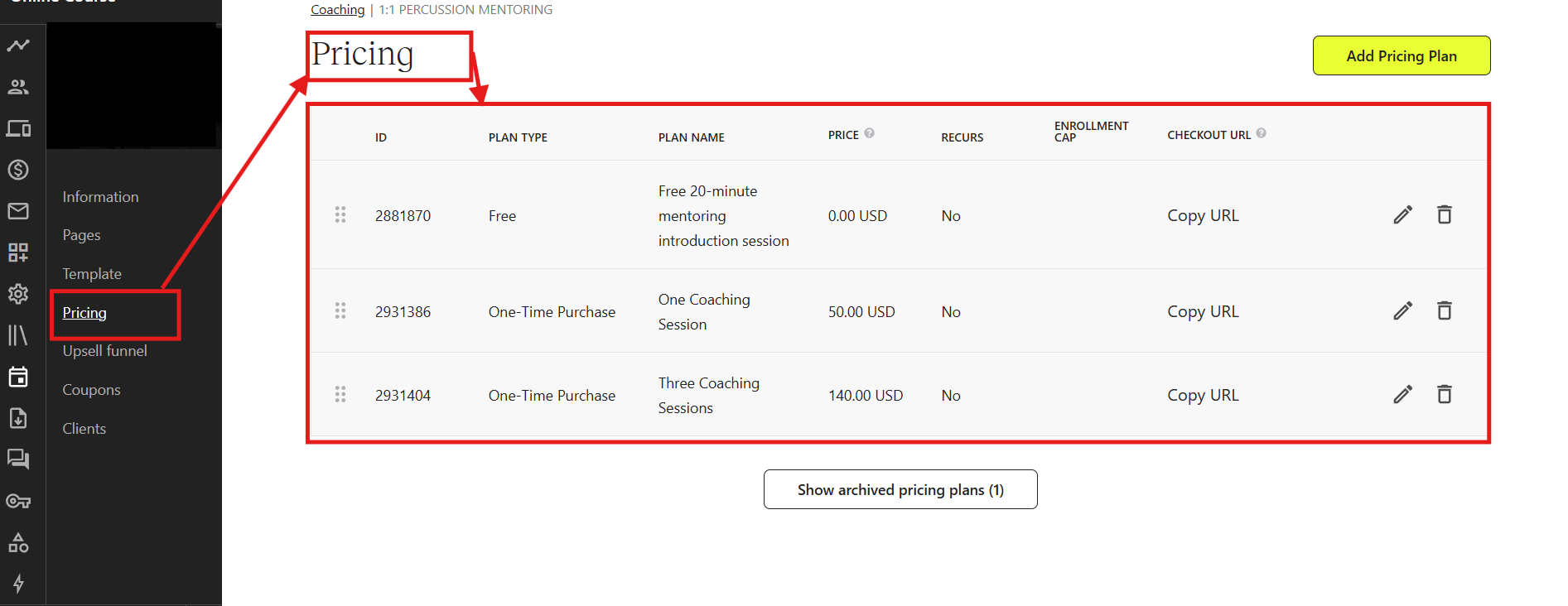
You can offer:
The platform supports multiple currencies and automatically handles tax calculations such as VAT and GST. This is especially important for creators selling globally.
The checkout process is clean and optimized for conversions. It minimizes distractions and reduces friction during purchase, which helps improve sales performance.
From my experience, the setup process was straightforward, and payment integration required minimal configuration.
Teachable provides essential sales and marketing tools to help creators promote their products effectively.

You can create:
The built-in affiliate management system allows you to assign commission percentages and track referrals directly within your dashboard. This reduces the need for external affiliate tracking software.
While Teachable is not a full marketing automation platform, it provides the fundamental tools required to launch and sell online courses successfully.
Teachable has introduced AI-powered features to streamline the course creation process and improve efficiency.
These tools include:
AI tools reduce preparation time and help creators structure their content more effectively. For new creators, especially, this guidance can accelerate the launch process and remove creative blocks.
AI integration also enhances accessibility by improving subtitles and translation capabilities.
The student experience on Teachable is clean, simple, and focused on learning. The course player is distraction-free and optimized for both desktop and mobile users.
Students can:
The progress tracking system encourages accountability and improves completion rates. The mobile-responsive design ensures students can learn from any device without performance issues.
A positive student experience directly impacts retention, reviews, and long-term growth of your online course business.
Teachable provides built-in analytics and reporting tools to help creators monitor business performance.
You can track:
These insights allow you to make data-driven decisions, optimize pricing, and identify areas where your course may need improvement.
While advanced marketing analytics may require integrations, the built-in dashboard provides sufficient visibility for most creators.
Teachable supports integrations with email marketing platforms, automation tools, and analytics software.
You can:
Customization options allow you to align your course platform with your overall brand identity. While deep design flexibility is somewhat limited compared to full website builders, the available customization is sufficient for building a professional-looking course site.
Integrations make it easier to connect Teachable with your broader digital marketing ecosystem.
One of the biggest strengths of Teachable is its beginner-friendly interface. The dashboard is clean, logically organized, and easy to navigate, even for users with no technical background. When you log in, you can clearly see sections for products, users, sales, analytics, and settings without feeling overwhelmed.
The course creation process follows a natural flow:
This structured workflow reduces confusion and speeds up setup time. During my 30 days of using Teachable, I was able to build and structure a course without needing external tutorials or developer assistance.
The admin interface focuses on clarity rather than design complexity. For beginners entering the online course business, this simplicity removes friction and allows creators to focus on content rather than technical configuration.
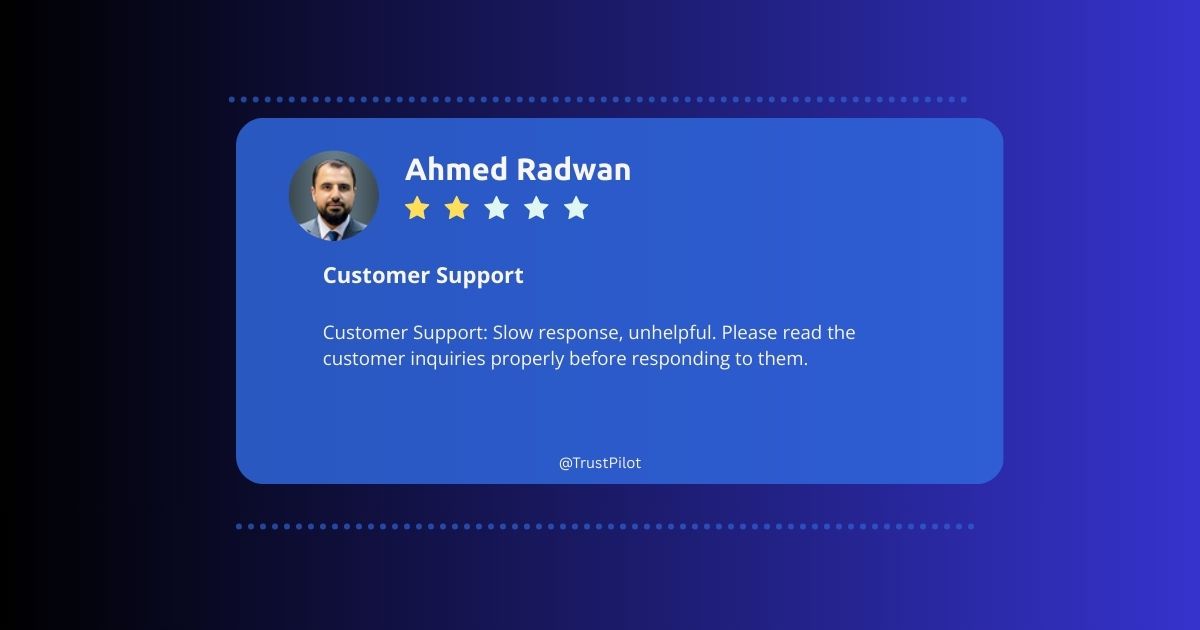
From a usability perspective, Teachable performs well as a user-friendly online course platform.
When choosing an online course platform, pricing is one of the most critical decisions you’ll make. Teachable offers a tiered pricing structure designed to support creators at different stages, from beginners with a single course to established education businesses with multiple products.
With Teachable, you can choose either monthly billing (flexible, pay-as-you-go) or annual billing (significant savings over time). Each plan includes core capabilities like secure payment processing, AI course creation tools, student progress tracking, and customizable sales pages.
Here’s a practical breakdown of Teachable’s pricing plans, what they include, and who they are best suited for.

Teachable is best suited for creators who want a structured, reliable platform without dealing with technical complexity.
Teachable is one of the most popular online course platforms, and here’s why it’s worth considering:
Teachable is ideal for creators who want a simple, structured, and scalable platform to launch and grow online courses efficiently.
1. Is Teachable good for beginners in 2026?
Yes, the intuitive course builder and step-by-step setup make it beginner-friendly.
2. Does Teachable charge transaction fees?
Yes. The Starter plan includes a 7.5% transaction fee per sale, while higher-tier plans remove transaction fees (standard payment processing fees still apply).
3. Can you sell digital downloads on Teachable?
Yes. In addition to online courses, you can sell digital downloads like PDFs, templates, eBooks, and other downloadable products.
4. Is Teachable worth the price?
Teachable offers strong value for solo creators and small businesses due to its ease of use, built-in marketing tools, and scalable pricing plans.
5. How scalable is Teachable for growing businesses?
Teachable supports multiple products, coaching, memberships, and advanced analytics on higher plans, making it suitable for scaling creators.
6. Does Teachable handle international payments and taxes?
Yes. Teachable supports global payment processing, multiple currencies, and automated VAT handling for international sales.
7. Can I run memberships or coaching programs on Teachable?
Yes. Teachable allows creators to sell memberships and coaching services, although complex community features may require third-party tools.
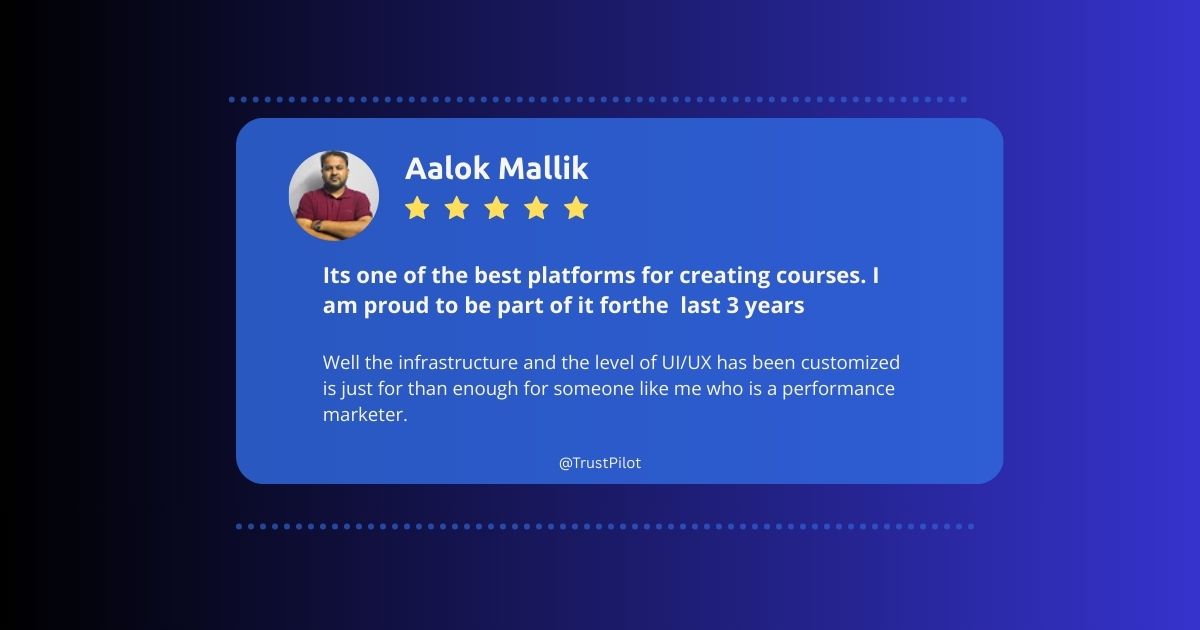
After testing Teachable for 30 days, the Khajabi team and I have explored its course builder, video hosting, payment processing, and overall usability. This Teachable review is completely unbiased and not sponsored. It’s shared purely to help creators, educators, and coaches make an informed decision.
Teachable is a beginner-friendly yet powerful platform, providing structured course creation, integrated monetization tools, and a reliable student experience. While some advanced features are only available in higher-tier plans, its simplicity and scalability make it a strong choice for launching and growing online courses.
From our experience, whether you’re creating your first course or managing multiple products, Teachable offers the tools and support to turn your knowledge into a professional and profitable online business.
You might also like


March 2, 2026

February 20, 2026

February 5, 2026

January 6, 2026