Podia Pricing (2026): Plans, Features, Hidden Costs & Which Plan Is Right for You?
July 30, 2026

July 30, 2026
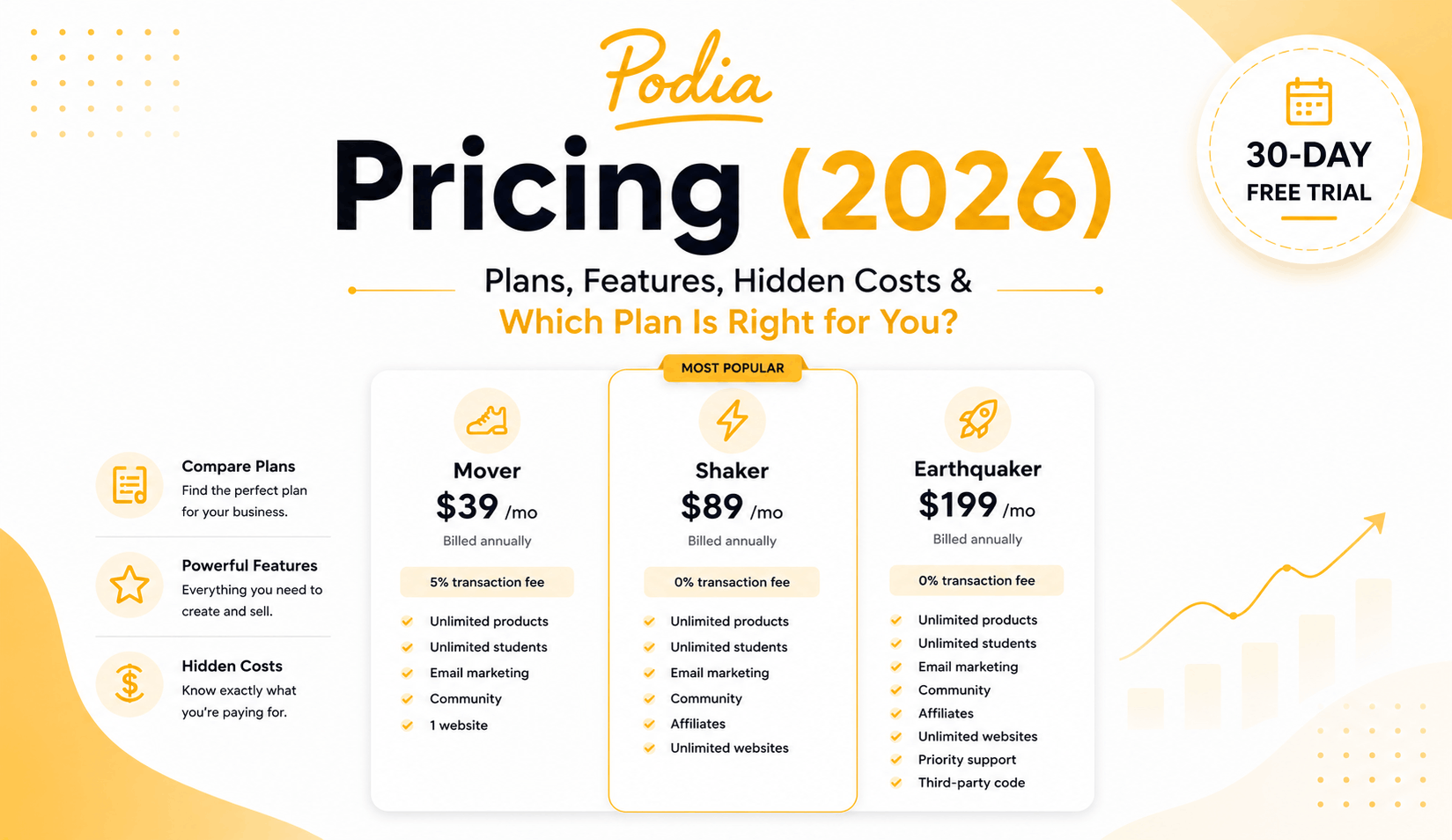
If you’re planning to sell online courses, digital downloads, memberships, or coaching programs with Podia, understanding its pricing is one of the most important steps before signing up. While Podia is known for its creator-friendly approach, choosing the right plan depends on your budget, the features you need, and how you plan to grow your online business.
Each Podia pricing plan is designed for a different stage of your creator journey. Whether you’re launching your first digital product, building a membership community, or scaling an established online business, it’s important to compare the available plans, understand what’s included, and identify any limitations before making a decision.
In this guide, we’ll break down Podia’s pricing plans, compare monthly and annual billing, explain the key features of each plan, discuss any hidden costs, and help you determine which Podia plan offers the best value for your business.
Podia offers three pricing plans, Mover, Shaker, and Earthquaker, i.e., with flexible monthly and annual billing options. Each plan includes a different set of features designed to support creators at various stages of growth, making it important to compare what’s included before choosing the right plan.
All Podia plans include unlimited products, customers, sales, and access to the core tools needed to sell online courses, digital downloads, memberships, coaching, and more. As you move to higher-tier plans, you’ll unlock advanced features such as affiliate marketing, team access, third-party code, and priority support.
If you’re planning to use Podia long-term, choosing annual billing can help you save compared to paying month-to-month while giving you access to the same features included in your selected plan.
Podia offers three pricing plans designed to support creators at different stages of their business. Whether you’re launching your first digital product or running an established online business, you can choose a plan that matches your budget, audience size, and feature requirements.
|
Plan |
Monthly Billing |
Annual Billing |
Best For |
|
Mover |
$49/month |
$42/month |
New creators launching online courses, digital downloads, and memberships |
|
Shaker |
$99/month |
$84/month |
Growing creators who need affiliate marketing, upsells, and team collaboration |
|
Earthquaker |
$179/month |
$150/month |
Established businesses requiring unlimited resources, advanced features, and priority support |
Podia offers two billing options, giving creators the flexibility to choose a subscription that best fits their budget and business goals.
Monthly Billing is ideal if you’re just getting started or prefer the flexibility to upgrade, downgrade, or cancel your plan as your business evolves.
Annual Billing offers a discounted monthly rate compared to monthly billing, making it a better choice for creators and businesses planning to use Podia long-term. You’ll get access to the same features included in your selected plan while reducing your overall subscription cost. Podia states that you can switch between monthly and annual billing at any time.
If you’re confident that Podia is the right platform for your business, choosing annual billing can help you save money without sacrificing any features or functionality.
Regardless of which Podia pricing plan you choose, you’ll have access to the essential tools needed to create, market, and sell digital products. While higher-tier plans unlock additional selling tools and advanced capabilities, every plan includes the core features required to build and grow your online business.
Online Courses
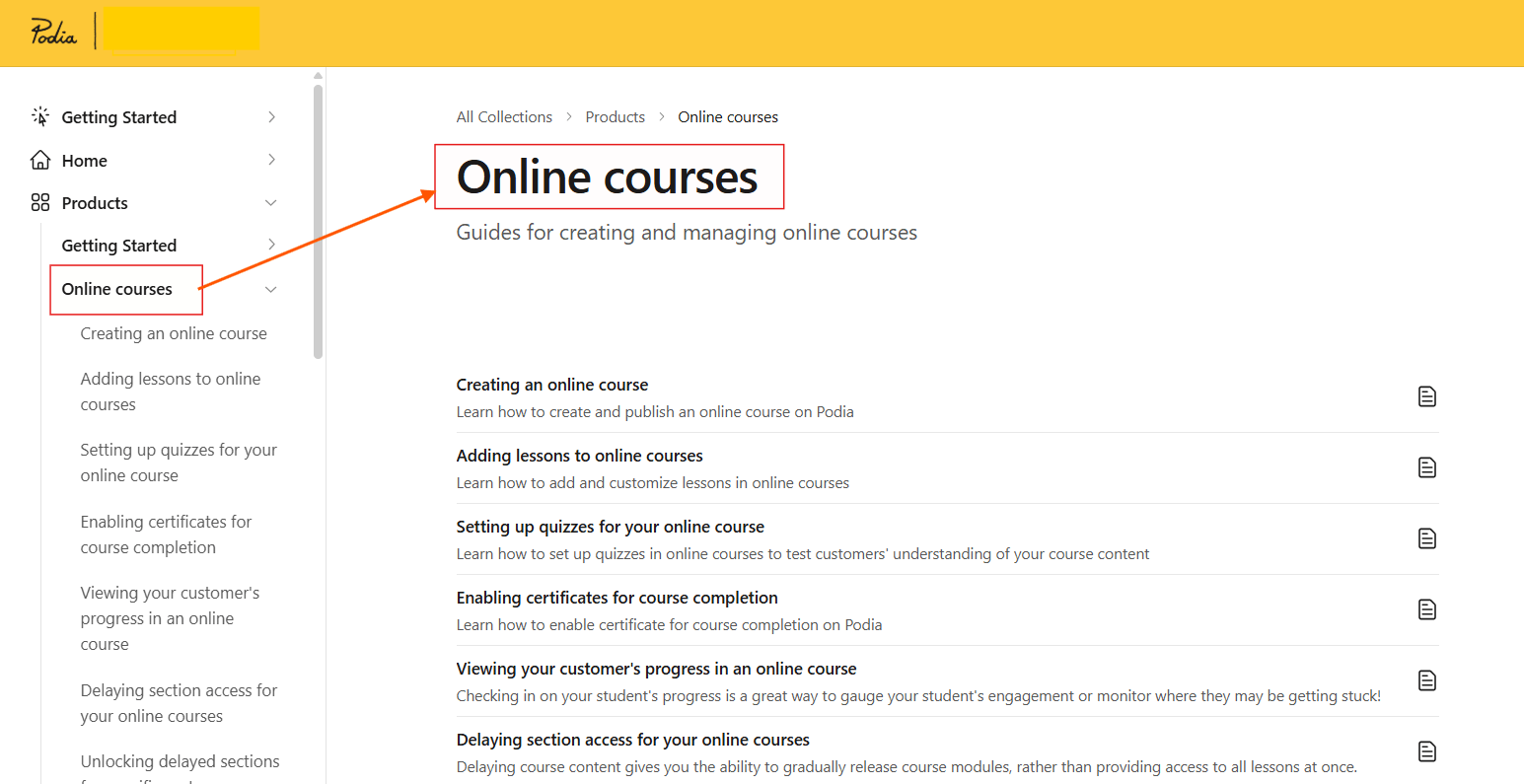
Create and sell self-paced online courses with videos, text lessons, quizzes, and downloadable resources.
Digital Downloads
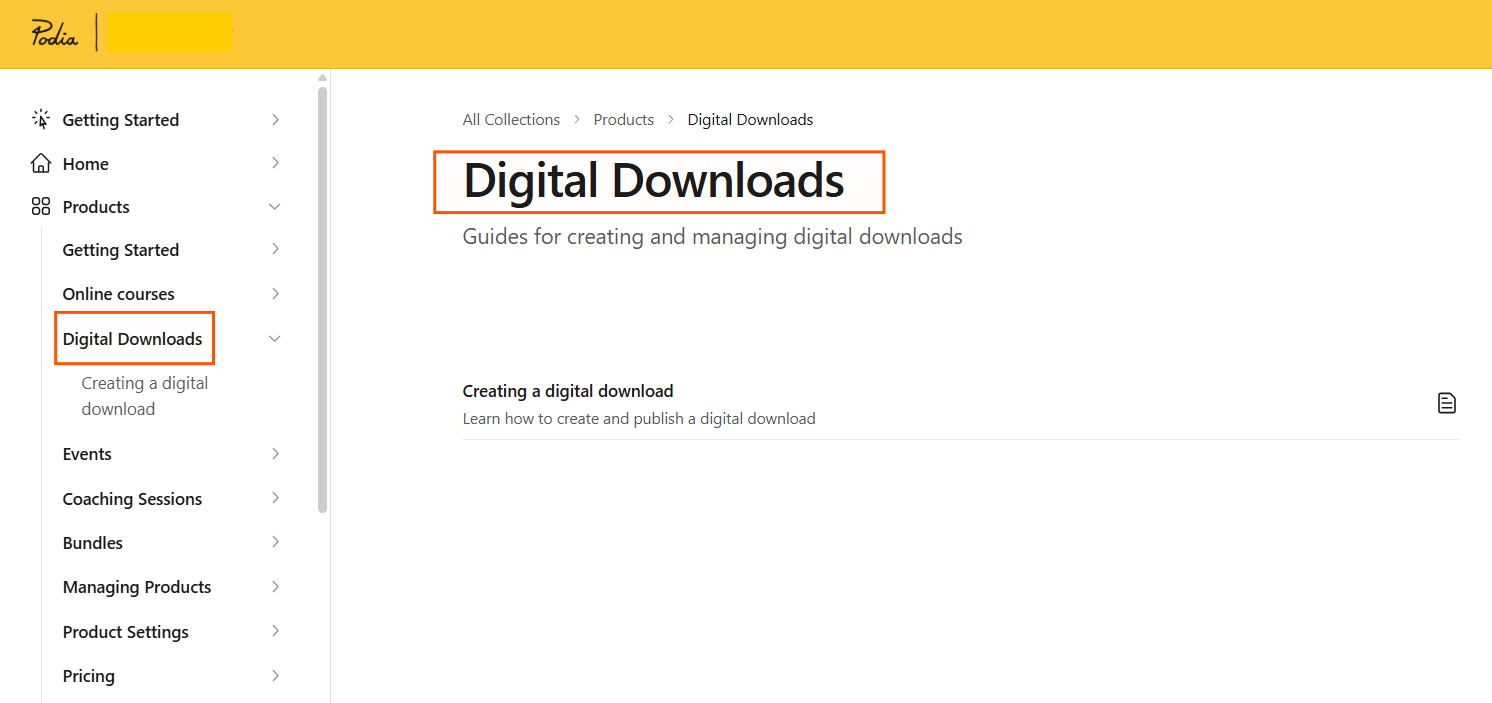
Sell ebooks, templates, PDFs, guides, audio files, and other digital products directly from your website.
Memberships
Generate recurring revenue by offering members exclusive content, communities, and ongoing access to your products.
Coaching
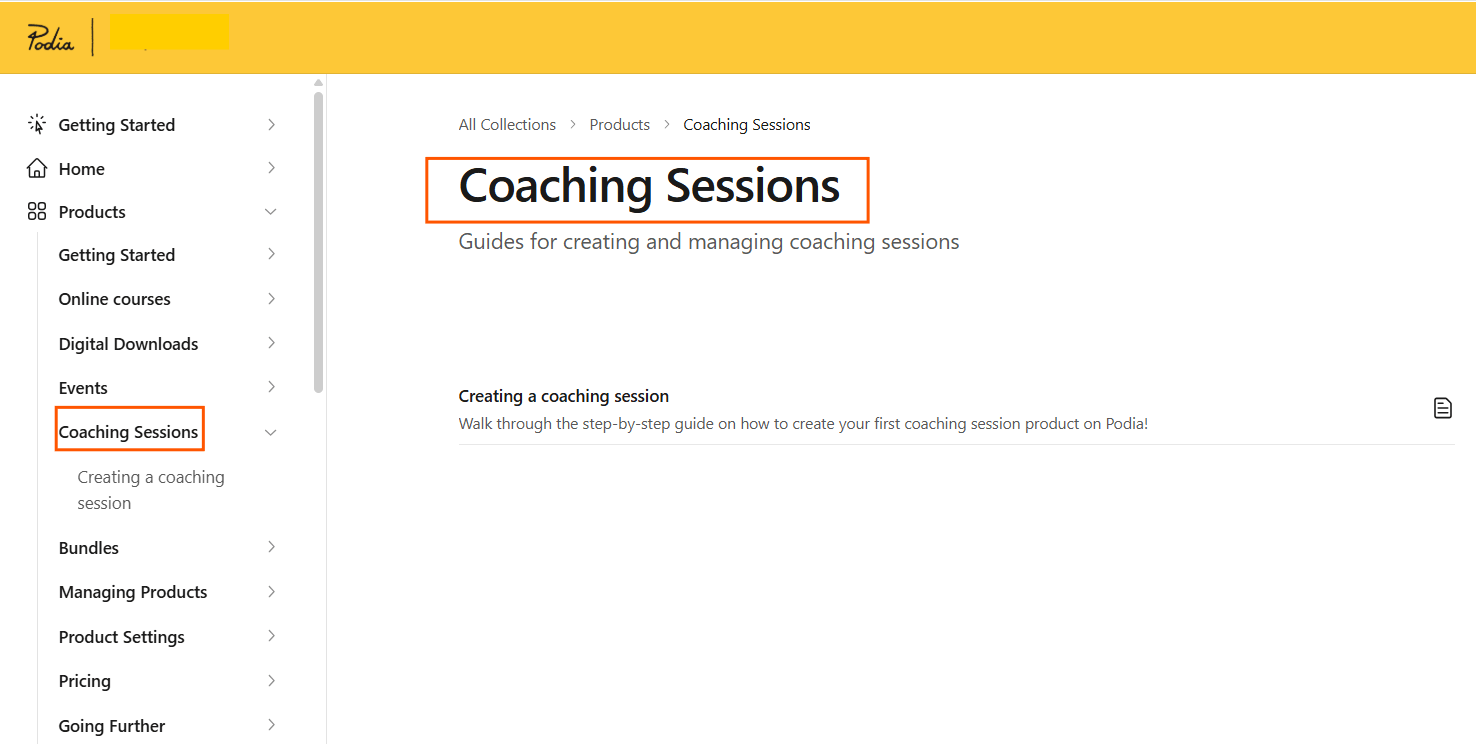
Offer one-on-one coaching sessions, consultations, or mentoring services with built-in scheduling and payments.
Community
Build a private community where members can connect, ask questions, and engage with your content.
Website Builder
Create a professional website for your brand using Podia’s customizable, no-code website builder.
Landing Pages
Design high-converting landing pages to promote products, capture leads, and increase sales.
Blog
Publish SEO-friendly blog posts to attract organic traffic and share valuable content with your audience.
Email Marketing
Send newsletters, product updates, and automated email campaigns to nurture your audience and increase conversions.
Built-in Checkout
Accept payments through a streamlined checkout experience designed to help maximize conversions.
Custom Domain
Connect your own domain to create a branded experience for your customers.
Migration Assistance
Get help moving your courses and digital products from another platform to Podia.
Customer Messaging
Communicate directly with your customers through Podia’s built-in messaging tools.
Email Support
Access support from the Podia team whenever you need help with your account or platform.
Podia offers three pricing plans for creators at different stages of their business. Every plan includes Podia’s core tools, and you can try all features free for 30 days before subscribing. The plans mainly differ in transaction fees, features, usage limits, and business growth tools.
we’ll take a closer look at each Podia pricing plan, including its pricing, key features, pros, cons, and who it’s best suited for.
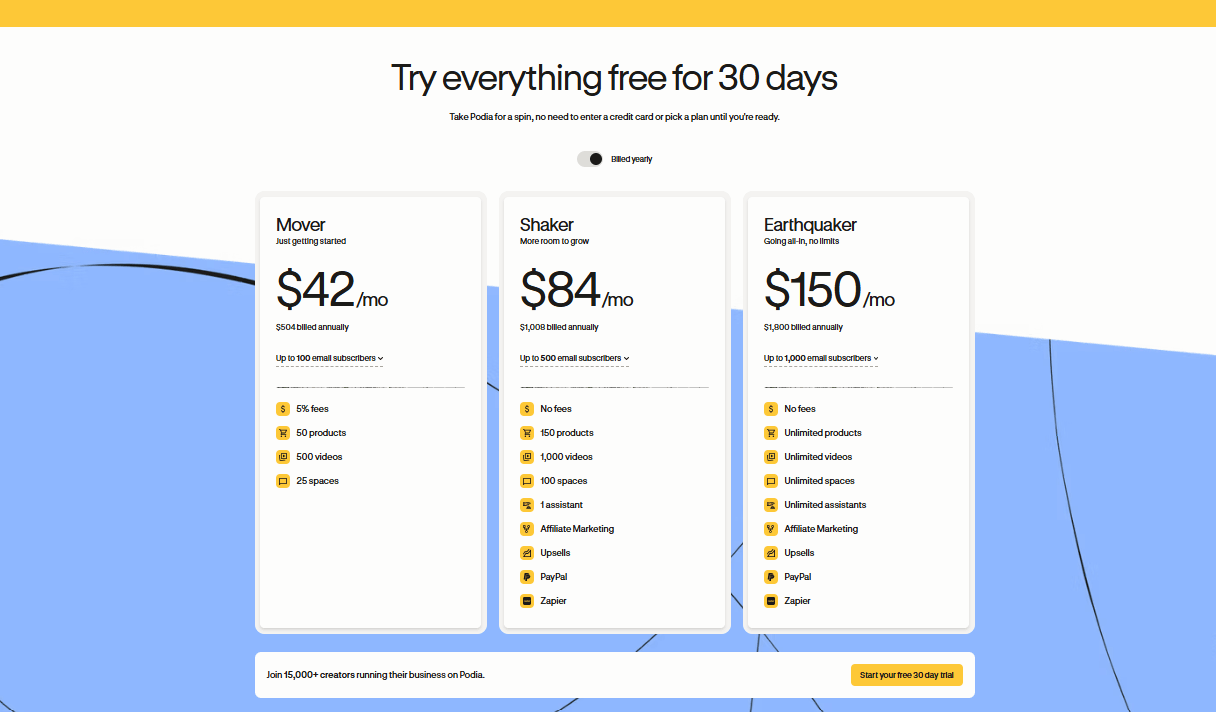
Monthly: $49/month
Annual: $42/month
Monthly: $99/month
Annual: $84/month
Monthly: $179/month
Annual: $150/month
Podia is known for its transparent pricing, but there are still a few costs and limitations you should consider before choosing a plan. Understanding these upfront can help you select the right plan and avoid unexpected expenses as your business grows.
The Mover Plan includes a 5% transaction fee on every sale. If you’re selling consistently or generating higher revenue, upgrading to the Shaker or Earthquaker plan can help you eliminate these fees.
While Podia doesn’t charge additional platform transaction fees on its higher-tier plans, payment processors like Stripe and PayPal still apply their standard payment processing fees to every successful transaction.
Podia’s annual plans offer better value than monthly billing, but you’ll need to pay for the entire year upfront. If you’re confident you’ll use the platform long-term, annual billing can significantly reduce your overall subscription cost.
Although Podia includes many built-in features, you may still choose to invest in third-party tools for advanced analytics, marketing, automation, or customer support, depending on your business requirements.
Choosing the right Podia plan depends on your business goals, budget, and the stage of your creator journey. Whether you’re launching your first digital product or managing an established online business, Podia offers a plan designed to support your growth.
Real-World Example: A solo creator selling their first online course, ebook, or coaching program while building an email list and growing their audience.
Real-World Example: A coach or educator selling multiple courses and memberships, using affiliates to drive sales while collaborating with a small team.
Real-World Example: A growing education company managing multiple products and team members that wants dedicated onboarding, priority support, and strategic assistance to scale efficiently.
No. Podia doesn’t offer a free plan, but it provides a 30-day free trial, allowing you to explore the platform and its features before committing to a paid subscription.
The Mover Plan is the best choice for beginners. It includes the essential tools needed to create and sell online courses, digital downloads, memberships, coaching services, and more at an affordable price.
For most creators and growing businesses, the Shaker Plan offers the best value. It removes Podia’s 5% transaction fee while adding features like affiliate marketing, AI Assistant, team access, and advanced customization tools.
Yes. The Mover Plan includes a 5% transaction fee on every sale. The Shaker and Earthquaker plans don’t charge platform transaction fees, although payment processing fees from Stripe and PayPal still apply.
Yes. You can upgrade or downgrade your Podia subscription at any time as your business grows or your requirements change.
Yes. Podia allows you to sell online courses, digital downloads, memberships, coaching sessions, webinars, and other digital products from a single platform.
Yes. Every Podia plan includes built-in email marketing, allowing you to send newsletters, product updates, and promotional emails without relying on a separate email marketing platform.
Yes, but affiliate marketing is available only on the Shaker and Earthquaker plans. These plans let you create and manage an affiliate program to help grow your sales.
Yes. Podia offers migration assistance for eligible creators, making it easier to move your courses, digital products, and customers from another platform.
Podia is a great choice for creators who want an easy-to-use platform to sell online courses, memberships, coaching services, digital downloads, and other digital products. The right plan depends on your business goals, budget, and the features you need as your business grows.
Podia offers a straightforward pricing structure that caters to creators at different stages of their business journey. Whether you’re launching your first online course, building a membership community, or scaling an established digital business, there’s a plan designed to match your goals and budget.
The Mover Plan is ideal for beginners who want an affordable way to start selling digital products, while the Shaker Plan offers the best value for most growing creators with features like affiliate marketing, team access, and zero platform transaction fees. For larger businesses that need personalized onboarding and premium support, the Earthquaker Plan provides the additional resources required to scale with confidence.
At Khajabi, we’ve compared Podia’s pricing, features, and overall value to help you make an informed decision. Before choosing a plan, consider your current business needs, future growth, and the features you’ll actually use. Investing in the right plan today can save you time, reduce unnecessary costs, and support your long-term success as your online business grows.
You might also like


August 3, 2026

July 31, 2026

July 30, 2026

July 24, 2026
