Teachable Pricing (2026): Plans, Features, Hidden Costs & Which Plan Is Right for You?
July 10, 2026

July 10, 2026
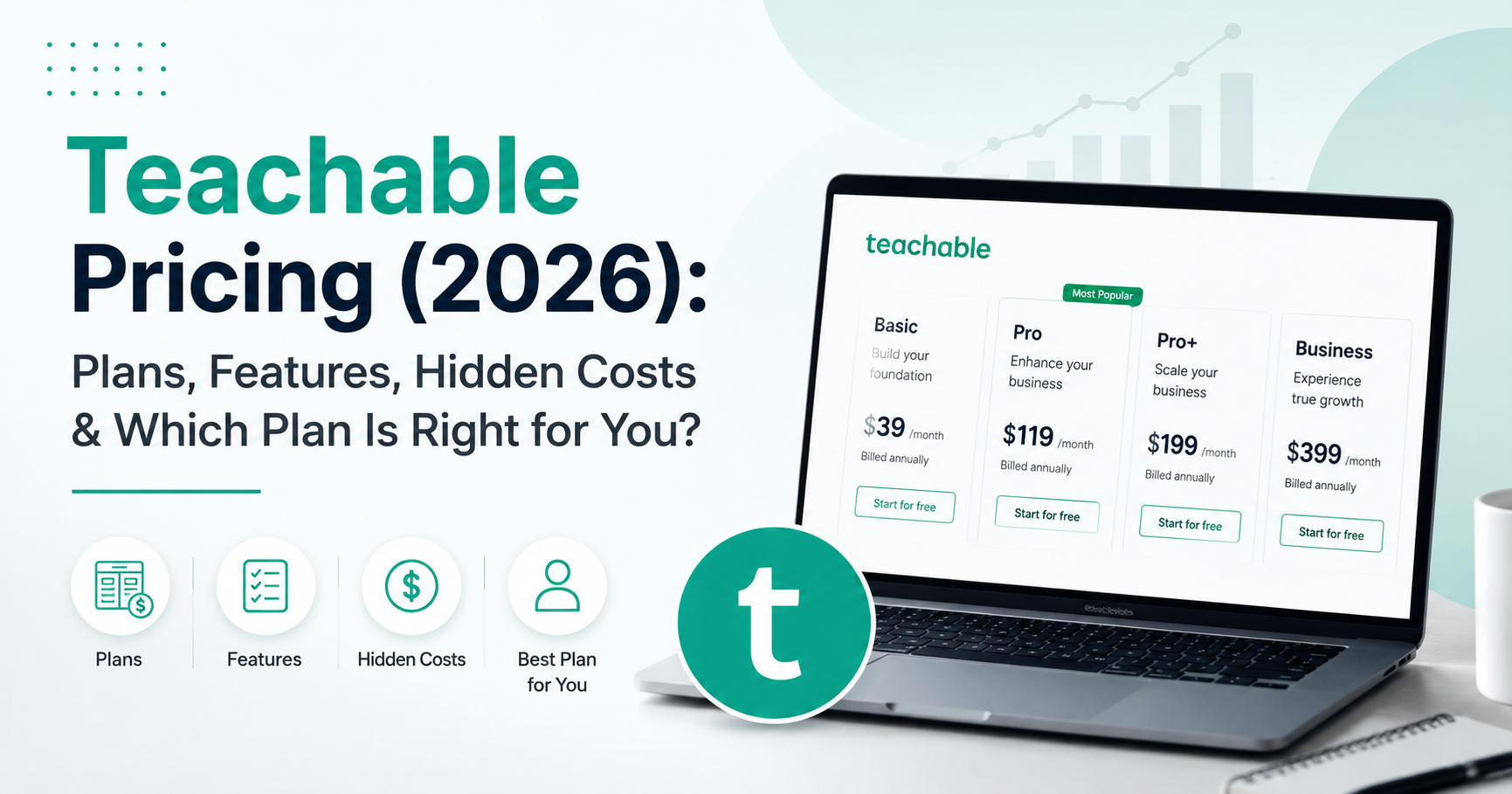
If you’re planning to create and sell online courses, coaching programs, memberships, or digital products, you’ve probably come across Teachable. As one of the leading online course platforms, Teachable helps creators turn their knowledge into a business with tools for course creation, student management, payments, and digital product sales.
But before investing in any platform, one question naturally comes to mind:
With multiple pricing plans available, choosing the right option isn’t simply about selecting the cheapest plan. Each plan is designed for a different stage of business growth and comes with its own mix of features, transaction fees, admin limits, and marketing capabilities.
In this guide, we’ll break down Teachable’s latest pricing plans, compare what each plan includes, discuss potential hidden costs, and help you determine which option makes the most sense for your goals, budget, and stage of business growth.
Teachable offers five pricing plans: Starter, Builder, Growth, Advanced, and Custom. Paid plans start at $39/month on monthly billing or $29/month when billed annually.
All plans include core features such as course creation, student management, content hosting, and payment processing. The biggest differences between plans are transaction fees, admin users, advanced marketing tools, integrations, and scalability.
For most creators, the Builder plan offers the best balance of affordability and features because it removes transaction fees while unlocking additional tools designed to help grow an online business.
Before diving into each plan in detail, here’s a quick overview of Teachable’s current pricing structure.
|
Plan |
Monthly Pricing |
Annual Pricing |
Best For |
|
Starter |
$39/month |
$29/month |
First-time creators |
|
Builder |
$89/month |
$69/month |
Growing course businesses |
|
Growth |
$189/month |
$139/month |
Established creators and memberships |
|
Advanced |
$399/month |
$309/month |
Teams and larger businesses |
|
Custom |
Custom Pricing |
Contact Sales |
Enterprise organizations |
Teachable offers both monthly and annual billing options, giving creators the flexibility to choose a payment schedule that fits their budget and business goals.
Monthly billing is a good option if you’re just getting started or want the flexibility to upgrade, downgrade, or cancel your subscription as your needs change. While it requires a lower upfront commitment, the monthly cost is generally higher compared to annual billing.
In contrast, annual billing provides discounted pricing and can help you save a significant amount over the course of a year. If you’re committed to building your online business on Teachable and plan to use the platform long-term, choosing annual billing typically offers the best overall value.
Regardless of which Teachable pricing plan you choose, you’ll get access to the core tools needed to create, manage, market, and sell digital products online. While higher-tier plans unlock additional features and higher usage limits, every plan includes the essential building blocks for running an online education business.
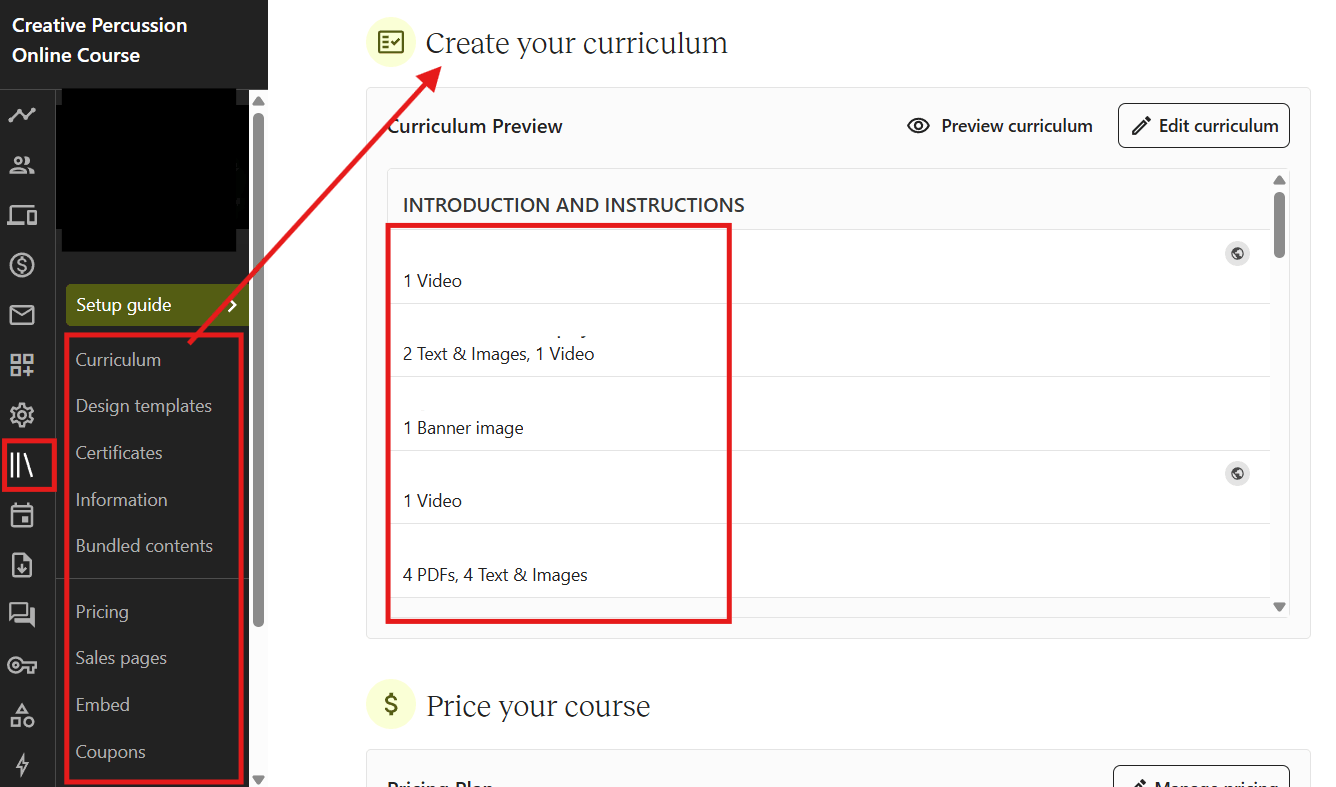
Create structured online courses using videos, text lessons, quizzes, and downloadable resources. Teachable’s drag-and-drop course builder makes it easy to organize content and deliver a professional learning experience.
Beyond online courses, Teachable allows you to sell coaching sessions, memberships, digital downloads, and other educational products, giving creators multiple ways to generate revenue.
Manage enrollments, track student progress, monitor course completion, and communicate with learners from a centralized dashboard designed to simplify course administration.
Host course videos, lesson materials, PDFs, worksheets, and other learning resources securely without needing separate hosting services or technical setup.
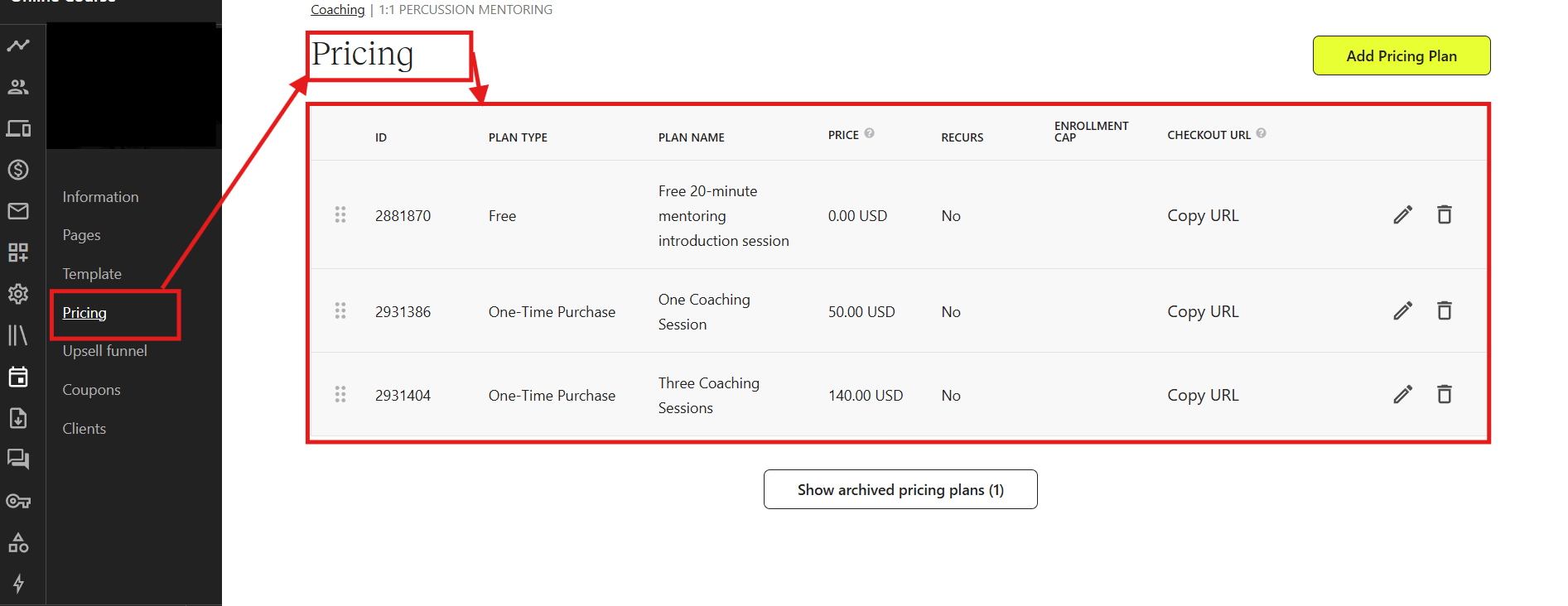
Accept payments from students through Teachable’s built-in checkout system, making it easier to sell products and manage transactions from one platform.
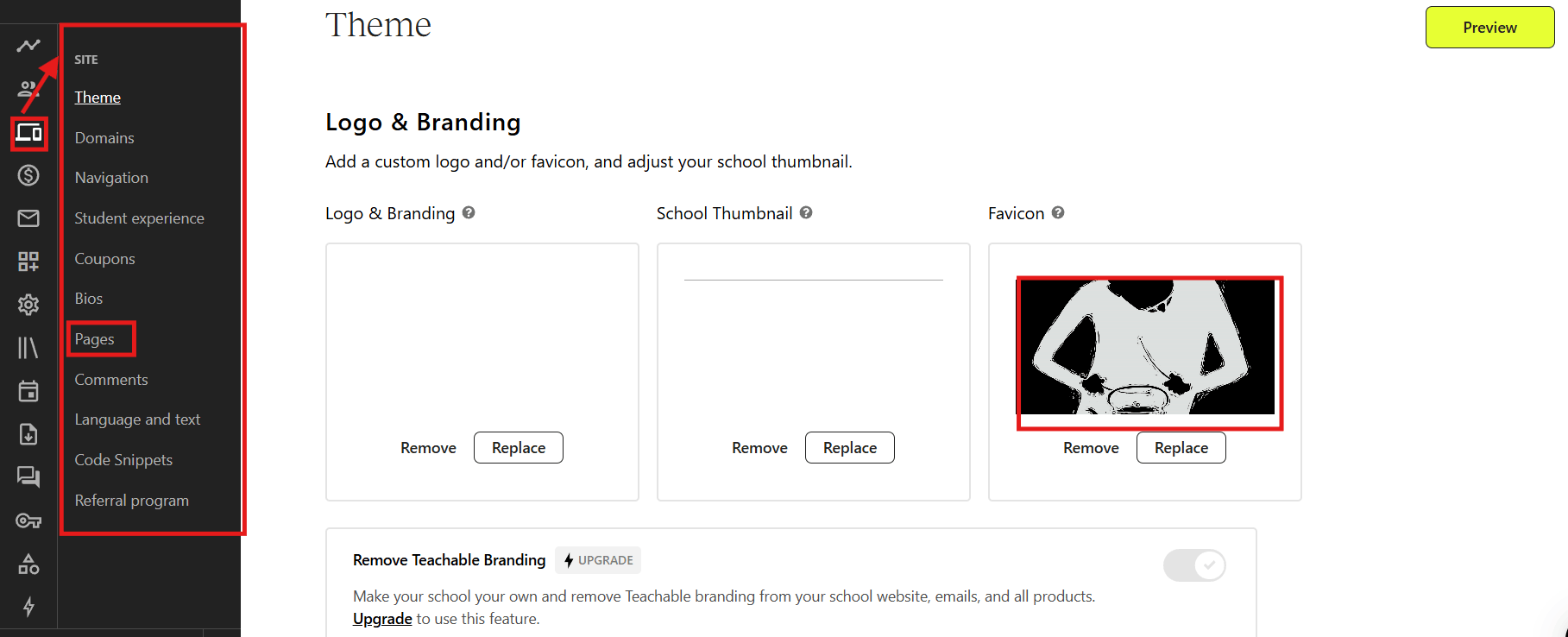
Create landing pages and product pages to showcase your courses, highlight benefits, and encourage visitors to enroll or make a purchase.
Students can access course content from their mobile devices, allowing them to learn anytime and helping improve overall engagement and course completion rates.
Track important metrics such as sales performance, revenue, student activity, and enrollment trends to better understand how your business is growing.
Monitor learner progress throughout your courses and identify where students are succeeding or dropping off, helping you improve the learning experience.
Access Teachable’s help center, educational resources, and customer support whenever you need guidance with your courses, account, or platform setup.
These features form the foundation of every Teachable plan. As you move to higher-tier plans, you’ll gain access to additional tools, higher limits, advanced marketing capabilities, and features designed to support business growth.
Teachable offers pricing plans for creators at every stage of their journey—from launching a first course to managing a large online education business.
Below, we’ll break down each plan, including pricing, key features, pros, cons, and who it’s best suited for, so you can confidently choose the right option for your needs.
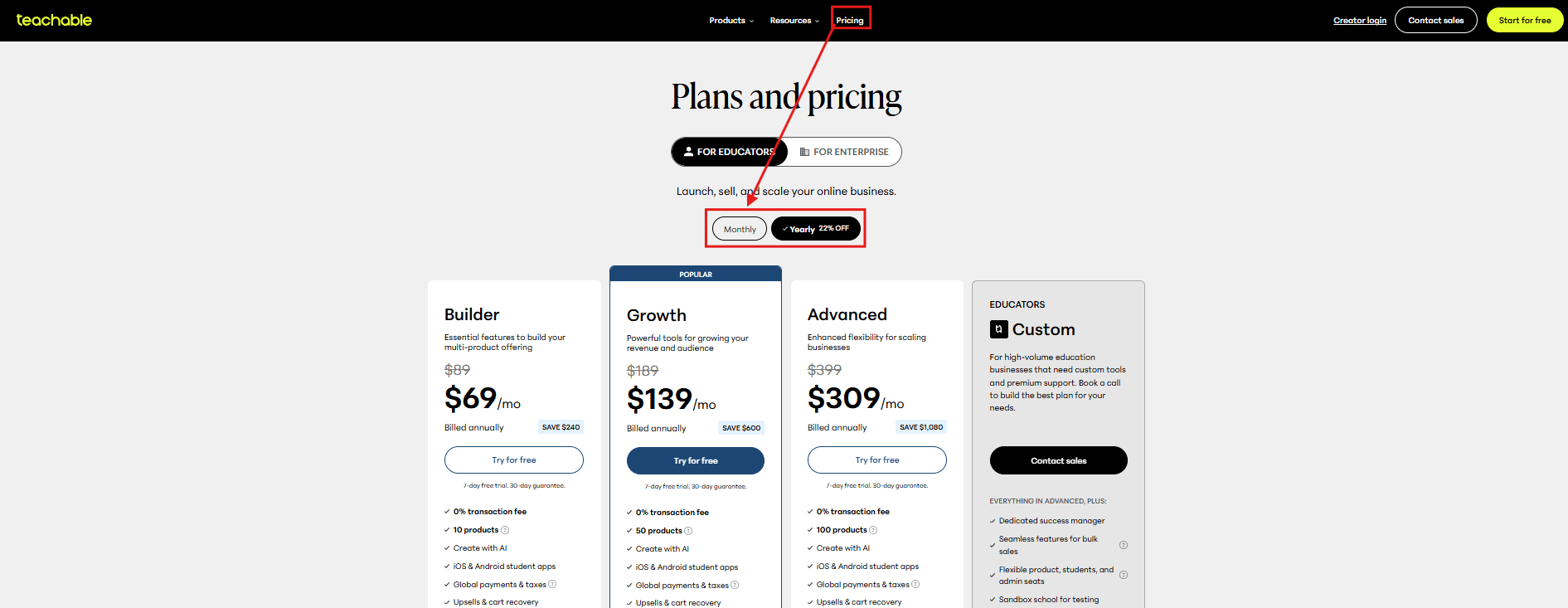
Monthly Pricing: $39/month
Annual Pricing: $29/month (billed annually)
Monthly Pricing: $89/month
Annual Pricing: $69/month (billed annually)
Monthly Pricing: $189/month
Annual Pricing: $139/month (billed annually)
While Teachable includes many essential tools to create and sell online courses, there are a few additional costs you should consider before choosing a plan. These aren’t necessarily hidden fees, but they can affect the overall cost of running your online business.
Choosing the right Teachable Pricing plan depends on your business goals, budget, and stage of growth. While every plan includes the core tools to create and sell online courses, the best choice comes down to the features you need today and the flexibility you’ll need as your business grows.
Real-World Example: A fitness coach launching their first online workout program and validating demand before scaling.
Real-World Example: A business coach selling multiple online courses and coaching programs while growing an email list and membership community.
Real-World Example: An educator running an online academy with several courses, memberships, and multiple instructors.
Real-World Example: A professional training company managing multiple instructors, support staff, and thousands of students.
Real-World Example: A multinational company delivering compliance and employee training across multiple departments and global teams.
Teachable offers five pricing plans: Starter, Builder, Growth, Advanced, and Custom. Paid plans start at $39/month or $29/month when billed annually, while the Custom plan is available through custom pricing.
The Starter plan is the best option for beginners who are launching their first online course or testing a new business idea. It includes the essential tools needed to start selling digital products at an affordable price.
For most creators, the Builder plan offers the best value. It removes the 7.5% transaction fee included in the Starter plan and adds features like affiliate marketing, course completion certificates, and abandoned cart recovery.
Yes, but only on the Starter plan, which includes a 7.5% transaction fee on every sale. Builder, Growth, Advanced, and Custom plans do not charge Teachable transaction fees, although payment processing fees still apply.
If you’re serious about selling online courses or digital products, Teachable can be a worthwhile investment. The right plan depends on your business stage, expected sales, and the features you need to grow.
If you plan to use Teachable long-term, annual billing usually provides better value because it reduces your overall subscription cost. Monthly billing is ideal if you prefer flexibility or are still evaluating the platform.
Yes. Teachable allows you to upgrade or downgrade your subscription as your business grows or your requirements change.
Teachable occasionally offers free trials or promotional offers for new users. Availability may vary, so it’s worth checking the official pricing page for the latest offers.
Yes. Depending on your plan, Teachable allows you to sell online courses, coaching services, memberships, digital downloads, and other educational products from a single platform.
Yes. Higher-tier Teachable plans support custom domains, allowing you to create a branded website and learning experience for your students.
Besides your subscription cost, you may need to consider payment processing fees, custom domain registration, optional third-party software, content creation expenses, and marketing costs. These aren’t unique to Teachable but are common when running an online education business.
The best plan depends on your business goals. The Starter plan is suitable for beginners, the Builder plan is ideal for most growing creators, Growth and Advanced are designed for larger businesses, while the Custom plan is intended for enterprise organizations with more complex requirements.
Choosing the right Teachable pricing plan comes down to your business goals, budget, and how you plan to grow over time. While the Starter plan is a great entry point for new creators, the Builder plan offers the best value for most businesses by removing transaction fees and providing additional tools to support long-term growth. The Growth, Advanced, and Custom plans are better suited for creators and organizations that require greater scalability, collaboration, and advanced functionality.
At Khajabi, Amelia and our research team regularly evaluate leading creator platforms to help creators make informed decisions. For this guide, we carefully reviewed Teachable’s pricing plans, features, limitations, and overall value to provide a practical buying guide—not just another pricing table.
Overall, as Teachable continues to update its plans and features, we’ll keep this guide current so you always have access to the latest pricing information and recommendations. We hope this article has helped you understand Teachable’s pricing and confidently choose the plan that best fits your business goals.
You might also like


August 3, 2026

July 31, 2026

July 30, 2026

July 24, 2026
